
Hue Secure Wired Doorbell & Smart Chime - Guide
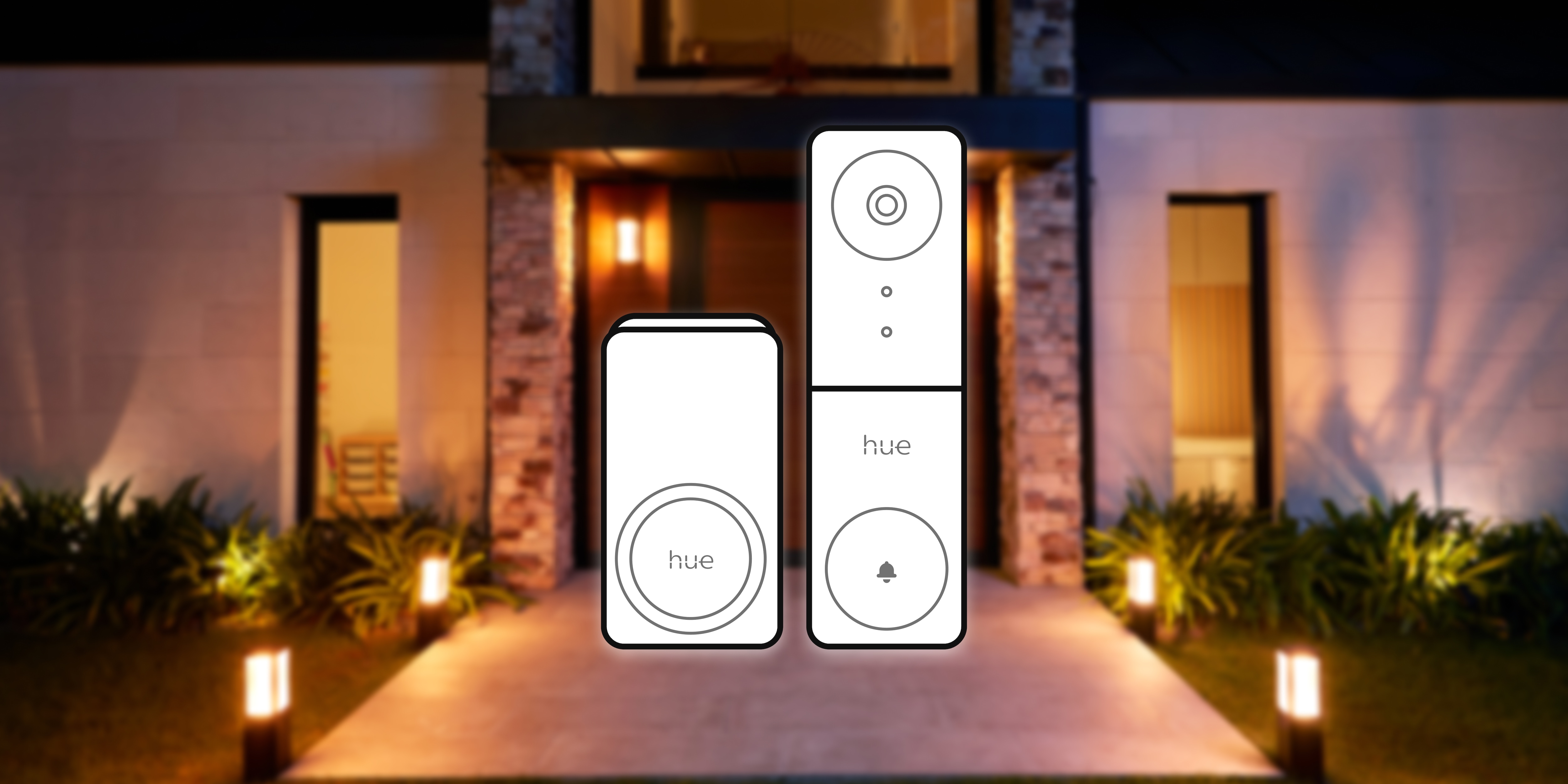
The Hue Secure Wired Doorbell Camera is designed to integrate seamlessly with your Philips Hue ecosystem, providing enhanced security and convenience at the front of your door. This article covers everything you need to know about setting up, installing, and using your Hue Secure Wired Doorbell and Chime.
Setup and Installation
Setting Up the Hue Secure Wired Doorbell
To set up your Hue Secure Wired Doorbell, use the Philips Hue app to scan the QR code on your doorbell’s ownership card. Follow the in-app instructions to connect the doorbell. If you already own a Bridge you will be able to connect it. If not, the Doorbell still will work but limited functionality. With Hue lights you will benefit from enhanced features such a turning light upon motion. Ensure Bluetooth is enabled on your mobile device during setup.
Installation Requirements
The wired doorbell requires existing doorbell wiring (low voltage 12–24V AC), a Wi-Fi connection (2.4GHz), and optionally a Philips Hue Bridge for full functionality and automation. The tools needed for installation include a pencil, screwdriver, power drill, 6mm masonry bit, rubber mallet or hammer.
Mounting the Doorbell Camera
Mount the doorbell camera near your entryway at about the height of 1.4 meters for optimal motion detection. The camera is weather-resistant (IP54), making it suitable for outdoor use. If you want to use a plug-in adapter instead of your wired transformer ensure the power adapter is placed indoors. The doorbell can also be mounted at an angle using the angle mount for a better view.
Extending Short Cables
If your cables from the wall are too short, extension cables can be easily added using a twist and screw wire nut. Instructions are provided in the manual. Be careful not to let your existing wires slip into the wall; bend them to prevent slipping and/or tape them together after removing the previous doorbell.
Using Wall Anchors and Spacers
For a safe and sturdy installation, use the included wall anchors for materials such as brick and concrete. Check for any wiring inside the wall before drilling. If unsure, contact a qualified electrician for support.
If the surface doesn’t allow to place the doorbell flush to the wall or if you need more space for wiring and wire nuts we recommend to use the included spacers which easily attach to the mount with the adhesive tape to create some distance between the wall and bracket.
Compatible Transformers
The Hue wired doorbell is compatible only with existing doorbell systems that provide low voltage 12-24VAC. Suitable transformers include Europe ABB Ltd. TM15/24 (transformer) and Zopule MYT240050 (plug-in adapter), and United States: RING T57-0052 (transformer) and jiooyy AC-AC 24V 500mA (plug-in).
Power Supply Options
The Hue Secure doorbell can also be powered using a plug-in power supply. Suitable adapters include Europe Zopule MYT240050 (plug-in adapter) and United States jiooyy AC-AC 24V 500mA (plug-in).
Compatibility and Integration
Integration with Hue Lights
The Hue Secure Doorbell seamlessly integrates with your existing Philips Hue lights. You can configure lights to flash or turn on automatically when someone rings the doorbell or motion is detected.
Smart Home Integration
The Hue wired doorbell can be used with Alexa, Google Assistant, and SmartThings for live view. Apple Home (and Home secure video) is not supported.
Connecting Multiple Devices
You can connect multiple Hue Smart chimes to one doorbell when a Bridge is part of your setup. Without a Bridge, you can connect one wired doorbell to one smart chime. Similarly, multiple Hue wired doorbells can be connected to one Smart chime when a Bridge is part of your setup.
Notifications and Alerts
Receiving Notifications
When someone rings the doorbell, you’ll receive a doorbell phone call or push notification on your phone via the Hue app. If you have the Hue Chime connected, you can receive sound alerts. You can also use Hue Lights to create light chime alerts.
Light Chiming
Light chiming is a unique Hue feature that allows you to blink one or more lights in your home when the doorbell is pressed. This is useful when you don't want to be disturbed by the sound of your Smart chime, for example, when you are at work or when family members are asleep.
Subscription Plans
Free Trial of Secure Subscription Plans
Every new Secure camera or Wired Doorbell camera comes with a free, 30-day trial of the Basic plan. The trial starts as soon as the doorbell is set up, allowing you to try out all the advanced features that come with a Secure plan.
Purchasing Hue Secure Plans
After the free trial, you can choose to purchase one of the Hue Secure plans to continue enjoying advanced features. The available plans are:
- Basic Plan: This plan costs $39.99 per camera per year and includes 30 days of video history, advanced features such as activity zones, video clips, and smarter alerts.
- Plus Plan: This plan costs $99.99 per year and covers up to 10 cameras. It includes 60 days of video history, advanced features such as activity zones, video clips, and smarter alerts .
Technical Specifications
Voltage Compatibility
The Hue wired doorbell is compatible only with existing doorbell systems that provide low voltage 12-24VAC. Connecting to mains voltage (220-240V in Europe, 120V in the US) is not possible and will cause damage to the product.
Camera Resolution and Field of View
The camera resolution is 2K QHD in a 1:1 ratio (1984x1984 pixels), and the field of view is greater than 180 degrees, helping to detect packages placed near the door and providing a good view of who is in front of your door.
Night Vision Options
The Hue Secure doorbell offers both infrared night vision and color night vision in low light conditions. To enable color night vision, disable the night mode (infrared vision).
Starlight Vision
Starlight vision is a specification for image sensors optimized to capture light even on the darkest days and/or places, ensuring clear images in low light conditions.
EU Eco Design Compliance
The Hue wired doorbell is designed to offer 24/7 day and night motion detection, which can be configured to be active or inactive, complying with EU eco design guidelines.
WiFi Range
We recommend placing the Hue wired doorbell within 10 meters of range of your WiFi router in your home.
Troubleshooting and Maintenance
Resetting the Doorbell
On the back of the Hue wired video doorbell, there is a reset button. Carefully unscrew the safety screw, tilt the doorbell to access the reset button, and gently push it until the doorbell confirms it’s being reset.
Cleaning the Doorbell and Chime
Use a very soft, damp cloth to clean the video doorbell and smart chime. Avoid applying too much force to prevent scratches.
LED Indicator Meanings
- Purple: The product is connected to power and is starting/booting.
- Blue: The reset button is pressed.
- Red: The reset button is pressed longer than 10 seconds, indicating a factory reset.
- Red blinking: The wired doorbell needs attention; check your transformer voltage specification.
- Red breathing: The Hue wired doorbell is recording.
- Green breathing: The Hue wired doorbell is updating.
Disconnecting Existing Doorbell Chime (EU and NAM)
For EU: Disconnect your existing doorbell chime by following the instructions from your doorbell chime manufacturer. Create a continuous circuit by connecting the wires using the provided wire nut. For NAM: Use the provided bypass cable to disconnect the existing doorbell chime and bypass the current to the Hue wired doorbell. Anyhow, the situation may vary and when in doubt ask a qualified electrician.
Transformer Compatibility
To determine the existing doorbell system voltage, check the specifications on the transformer and when in doubt ask a qualified electrician.
Storage of Video Clips
The Hue Secure video clips are safely stored and end-to-end encrypted in our cloud environment, preventing unauthorized access.
Mounting Surfaces
The Hue video doorbell can be mounted on most surfaces, but it is not recommended to mount it on metal surfaces, which could cause disruption and decrease the WiFi connection. Use the provided wall anchors for brick and concrete surfaces.
Smart Chime Features
The Smart chime can be muted via the app or on-device button. It is designed to plug into a power outlet easily but should not be added to an extension cable. The product is maintenance-free, and the front cover is fixed. The siren functionality is loud at 87DB to alert neighbours and/or scare away intruders.
LED Colors on Smart Chime
- Steady green (30 seconds): Power is on.
- Slow blink orange: Ready to be added to the Hue setup.
- Fast blink orange: About to be factory reset.
- Steady red (30 seconds): The product is muted.
- Steady green: The product is unmuted.
MotionAwareTM Technology
MotionAware is a unique technology that turns on lights when motion is detected in a room without using a motion sensor. This works with a setup of three lights and/or chime or above.
Additional Information for MultiChime
MultiChime allows you to customize the color and duration of the light blinks when the doorbell is pressed. We provide some recommended preset colors, but you can always customize to any color of your preference. This feature is only available for color-capable lights, listed as "recommended."
For better visibility, we suggest selecting recommended, color-capable lights. Consider choosing a few lights over multiple rooms to balance not disrupting the underlying lighting conditions too much while ensuring that you will notice the notification regardless of where you are in your house.
You can also select the number of blinks the lights will do before they go back to their previous state, allowing you to tailor the notification to your needs.
Configuring Smart Chime and MultiChime
You can configure different volumes for your Smart Chime via the app edit screen of your Wired Doorbell. This allows you to set up to 10 different timeslots, each with a different ringtone and volume for your chimes.
Similarly, you can configure different light colors for your MultiChime with light through the app. Up to 10 different timeslots can be set, each with a different color for your lights.
You do not need to always have sound or light chiming when the Wired Doorbell is pressed. The behavior of your Smart Chimes and lights can be configured throughout the day, including muting or disabling them. You can choose to have sound without lights or vice versa.
Some lights are listed as "recommended" when configuring MultiChime because they are color capable, allowing better contrast throughout the day. Non-recommended lights will default to always blinking in white.
Lights participating in MultiChime will always blink in a fixed pattern between OFF and full brightness.
If you have any further questions or need additional support, please contact our customer service team.