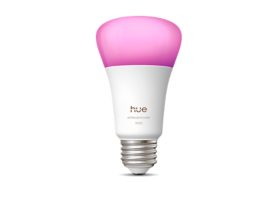
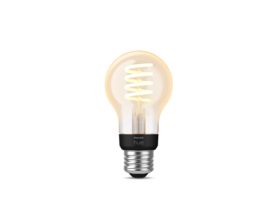
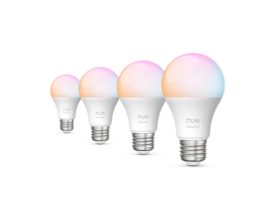
Bedroom illuminated with bluetooth lights for wireless control and customizable ambience using bluetooth smart bulbs

Bluetooth LED lights: your first step into smart lighting

15 January, 2026

Bluetooth LED lights bring the magic of connected lighting within everyone’s reach. With no hub required, you can control your lights straight from your phone, transform the look and feel of a room in seconds, and discover how easy it is to live with lighting that responds to you.

The Philips Hue Bluetooth range was created for people who want to try smart lighting without the complexity. You can brighten your morning routine, set the perfect reading light, or wind down with soft evening tones — all with a tap or a voice command.

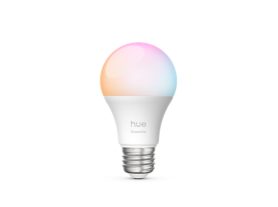
What are Bluetooth LED lights?

Bluetooth LED lights combine energy-efficient LEDs with wireless Bluetooth control. Unlike older smart bulbs that rely on Wi-Fi or a central hub, these bulbs connect straight to your smartphone or tablet through the Philips Hue app.


Philips Hue mobile app showing easy lighting control with Bluetooth for wireless bulbs and smart lighting setup

You can switch them on or off, dim them, or change color temperature instantly — no bridge, Wi-Fi, or data connection required. For beginners, it’s a plug-and-play way to test how smart lighting can change your space.

Explore the LED bulbs collection.


How do Bluetooth LED lights work?

At their core, Bluetooth LED lights include a compact chip that receives commands over short-range radio waves (about 30 ft / 10 m). When you use the app or a compatible voice assistant, that signal tells each light to brighten, dim, or shift color.

Because control happens locally, responses are fast and reliable. Even if the internet goes down, your lights still work. Each bulb remembers its last setting, so it turns back on exactly as you left it.

Modern Bluetooth-enabled Philips Hue bulbs also include Zigbee support. That means if you ever add a Hue Bridge, you won’t need to replace a thing — just pair your existing bulbs and unlock whole-home automations, sensors, and entertainment sync.

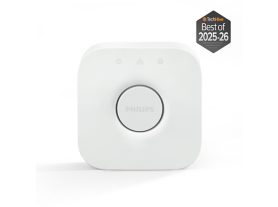
Philips Hue Bridge device expanding lighting control with Bluetooth to full smart home wireless lighting system

Learn more about the Zigbee network.

How to connect LED lights to Bluetooth

Setting up takes just a few minutes:

  1. Install your Bluetooth-enabled lights, like a Philips Hue bulb or strip lights.
  2. Download the Philips Hue app and select Bluetooth mode at startup.
  3. Add light and follow on-screen instructions to pair.
  4. Name and group your lights by room.
  5. Enjoy Scenes, Routines, or voice control through Alexa or Google Assistant.

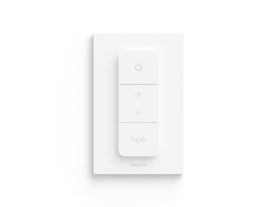
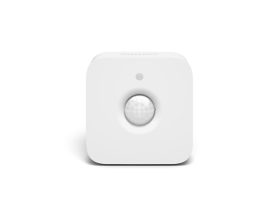
Prefer a physical switch? Add the Hue Dimmer Switch to control your Bluetooth lights without a phone.

Recommended Bluetooth accessories

Create a starter kit
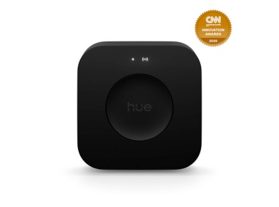
Bridge

$65.99

New
Bridge Pro

$98.99

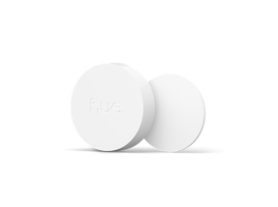
Smart button

$32.99

Item almost out of stock

Discover the lighting controls collection.


When to upgrade — Bluetooth vs. Hue Bridge

Bluetooth control is perfect for getting started, but its range and capacity are limited. The Hue Bridge, a small device that plugs into your Wi-Fi router, unlocks the complete smart-lighting experience.

Because all Bluetooth-enabled bulbs also contain Zigbee, upgrading is effortless. Simply add a Bridge, connect your existing lights, and every feature expands automatically.

Bluetooth vs Wi-Fi vs Hue Bridge

Bluetooth

Wi-Fi (generic)

Hue Bridge (Zigbee)

Setup

Easiest
Moderate
Simple with hub

Control range

~10 m / 30 ft
Depends on router
Whole-home mesh

Max lights

10
Varies
50+

Internet needed

No
Usually yes
Only for remote use

Automations

Basic
Limited
Advanced routines + sync

Bluetooth is ideal for apartments, dorms, or anyone starting small. When you’re ready for whole-home control, the Hue Bridge expands your possibilities instantly.


Everyday ideas for using Bluetooth LED lights

  • Morning boost: cool daylight tones help you wake naturally.
  • Focus time: bright neutral white improves productivity.
  • Movie night: dimmed warm hues create a cozy glow.
  • Party mode: vibrant colors sync with your playlist.
  • Evening calm: soft amber tones signal relaxation.

Lighting isn’t just practical — it shapes how you feel and function. Explore combinations until you find your perfect atmosphere.

Living room scene showcasing bluetooth smart bulbs for mood lighting and wireless color control

Troubleshooting and tips

  • Light won’t connect? Ensure Bluetooth is active and the bulb is within 10 meters.
  • Lost connection? Restart the bulb and reopen the Hue Bluetooth app.
  • Multiple users? Each device can pair separately within range.
  • Naming matters. Give descriptive names like “Bedroom Lamp” or “Desk Light” for voice control.
  • Upgrade easily. Adding a Bridge keeps all your current Bluetooth LED lights — you simply expand control.


From one room to your whole home

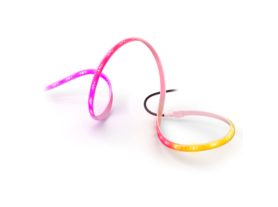
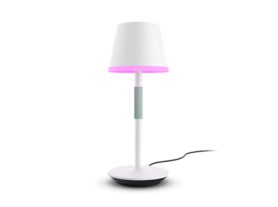
Start small, perhaps with a pair of smart table lamps or a strip light behind your TV, and see how lighting changes your space. As your needs grow, add sensors, switches, or a Hue Bridge to expand seamlessly.

Two women relaxing in a living room lit by bluetooth lights and wireless bulbs controlled via smartphone app

That’s the beauty of Philips Hue: a system that evolves with you, combining simplicity, comfort, and creativity in every light.

Begin your smart lighting journey today with a Philips Hue starter kit.