Connect your Philips Hue lights to Samsung SmartThings for the ultimate smart home experience.


Philips Hue and Samsung SmartThings

One app, endless possibilities
SmartThings allows you to pair your Philips Hue lights with compatible products from hundreds of trusted brands worldwide and control them from a wide range of devices — from smartphones to home appliances.
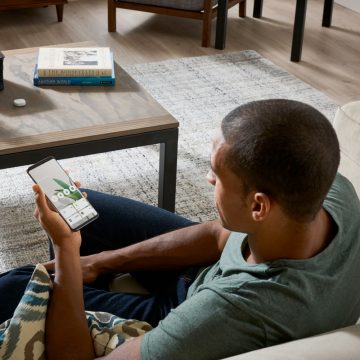
Control smart lights from anywhere
Whether you’re at home or on the go, control your Philips Hue lights from your smartphone, laptop, smart monitor, and even your Samsung TV screen or Family HubTM refrigerator.

Set the mood and personalize your space
Pair your lights with your TV, soundbar, smart blinds, and thermostat to set the perfect mood for any occasion — from movie time to game night with friends — in just a tap.

Immerse yourself in music
Get Hue Sync directly in your SmartThings app! Let your lights sync to your favorite tunes from your Samsung Galaxy devices.
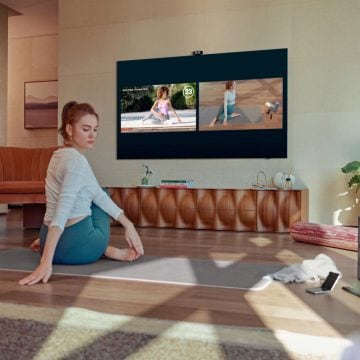
Let your lights help you build a healthy routine
Create light automations that enhance your daily routine, from lights that turn on when your Galaxy morning alarm sounds to lights that dim before bedtime and even automatically turn off when you fall asleep.
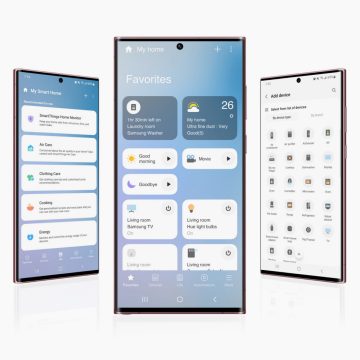
Get SmartThings
Connect your Philips Hue lights to the SmartThings app, and get control over all your other smart devices.
Questions & answers
Is the SmartThings app available on certain devices and operating systems?
Is the SmartThings app available on certain devices and operating systems?
I’m having trouble setting up my Philips Hue lights in the SmartThings app. Who can help?
I’m having trouble setting up my Philips Hue lights in the SmartThings app. Who can help?
Do I need to pay for the SmartThings app?
Do I need to pay for the SmartThings app?
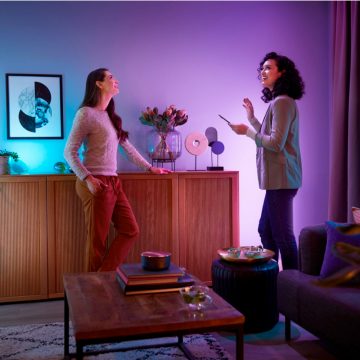
Compatible with Matter
Connect with SmartThings more easily with Matter. This protocol is seamless, secure, and built for the future of smart homes.
Get support
We’re always happy to help! If you need more support in pairing Philips Hue and Samsung SmartThings, check out more questions and answers or get in touch with us.
*Sign up and save 15%. You should receive your code within 1 hour after your subscription, but processing time may vary. This promotion is not valid on email addresses that are already enrolled in the Philips Hue newsletter. Read the Terms & Conditions for this promotion.