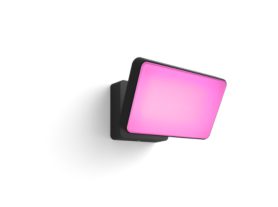
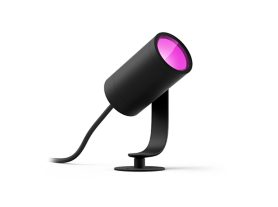
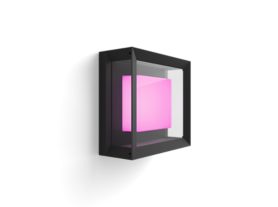
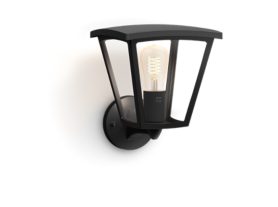
Two people approach a house entrance at night, illuminated by outdoor wall lights triggered by motion sensor lighting

Motion sensor lighting: automate your home for safety and comfort

April 22, 2026

The modern home is no longer a static environment; it’s a responsive one, one that can be modified and adjusted to your rhythm and daily routines. Motion sensor lighting is an essential part of this transformation, turning a simple house into an intuitive space that anticipates your needs. With Philips Hue, you can connect motion sensors to your smart lighting system to illuminate a dark hallway as you walk to the kitchen at midnight or help make your home’s front- or backyard feel more secure with outdoor lighting. Smart motion-activated technology provides a hands-free experience that balances luxury with practical utility.

The hidden benefits of a motion-activated home

Beyond the obvious "wow" factor of lights turning on automatically, integrating sensors into your smart lighting design offers three fundamental advantages:

  1. Safety and navigation: Reduce the risk of tripping in the dark. Sensors ensure that high-traffic areas like staircases and basements are lit the moment someone enters.
  2. Sustainability: In an era of rising energy costs, sensors ensure lights are only active when a room is occupied, helping to reduce energy use.
  3. Deterrence: With connected motion sensor outdoor lighting, the sudden burst of light is often enough to ward off unwanted guests before they even reach your door.
Two people standing beside a parked car under a porch at night, illuminated by warm outdoor lighting near a house entrance triggered by  motion sensor lighting

How to install motion sensor lights in 5 easy steps

Setting up a smart environment shouldn't be a chore. If you are wondering how to install motion sensor lights, modern wireless solutions have removed the need for complex wiring or professional electricians.

  1. Placement strategy: identify "choke points" like entryways or the base of a staircase.
  2. Mounting: use the included magnetic mounts or adhesive strips for a "peel-and-stick" installation.
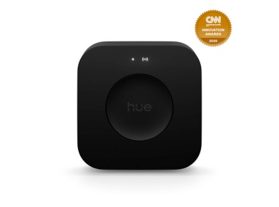
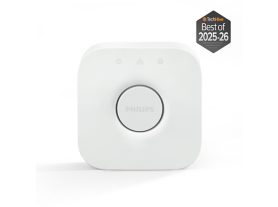
  3. Syncing: open your Philips Hue app to pair the sensor with lights via your Hue Bridge smart home hub.
  4. Zone assignment: select which lights should react to movement. It could be a single bulb or an entire room.
  5. Sensitivity calibration: adjust the sensitivity to ensure the lights aren’t triggered by pets or people passing by your home. 

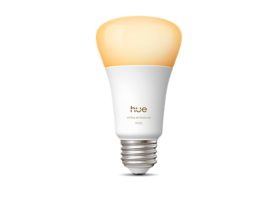
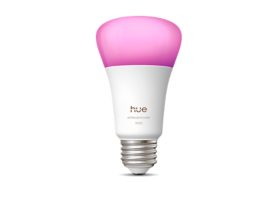
Discover the Hue lighting controls and LED bulbs collection.


Guide: configuring your Philips Hue motion sensors

Setting up your motion sensor lighting is an intuitive process through the Philips Hue app, allowing you to tailor how your home responds to your presence. Below is a step-by-step guide to fine-tuning your sensors for optimal performance.

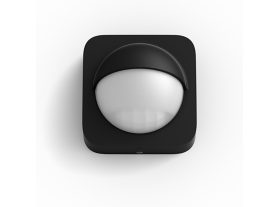
A Philips Hue outdoor sensor mounted on a front porch and connected to motion detector lights.

How to install motion sensor lights in the Philips Hue app

Once you have physically placed your sensor, follow these steps to integrate it into your smart home ecosystem:

  1. Open the Hue App: Navigate to the Settings tab and select Accessories.
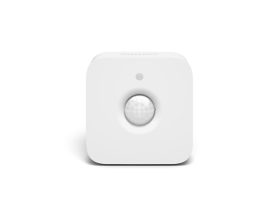
  2. Add Accessory: Tap the plus (+) icon and select either the Hue motion sensor or Hue outdoor sensor.
  3. Setup mode: Ensure your sensor is in pairing mode (usually indicated by a flashing LED after pulling the battery tab).
  4. Assign rooms: Choose which room or zone the sensor should control. You can even link a single sensor to multiple Hue lights across different areas.
  5. Test the connection: Walk past the sensor to ensure the lights trigger as expected.

Advanced sensor settings for optimized automation

To truly master motion sensor lighting, you should move beyond the default "on/off" behavior. The Hue app offers granular control over how and when your lights activate.

  • Day and night sensitivity: You can define specific "Daylight sensitivity" to ensure lights don't turn on when there is already enough natural light in the room, saving energy.

  • Time-based scenes: Configure the sensor to trigger a bright, energizing "Concentrate" scene during the day, but a soft "Nightlight" scene after 11:00 PM.

  • Occupancy duration: Adjust the "After-motion" setting to determine how long the lights stay on after movement stops (e.g., 1 minute for a hallway, 15 minutes for a kitchen).

  • Motion sensitivity: Adjust the detection threshold to prevent small pets or vacuum robots from triggering the lights. 

Maintaining your motion sensor ecosystem

To ensure your motion sensor outdoor lighting and indoor sensors remain reliable and up to date, follow these maintenance tips:

  • Battery life: Most Hue sensors feature long-lasting batteries. You will receive a notification in the app when it is time for a replacement.

  • Software updates: Keep your Hue Bridge and sensors updated to the latest firmware to benefit from improved connectivity and AI-driven features available in 2026.

  • Cleaning: Occasionally wipe the sensor lens with a dry cloth to ensure dust or spiderwebs don't interfere with the infrared detection.

Securing your home’s perimeter with motion sensor outdoor lighting

Your home’s exterior is its first line of defense. Effective motion sensor outdoor lighting does more than just light up the night; it creates a psychological barrier. Modern sensors can detect movement up to 12 meters away, providing ample warning of any activity on your property.

Smart deterrence and welcome scenes

You can program your outdoor lighting to behave differently based on the time of day. During the early evening, the sensor might trigger a warm "Welcome Home" scene at 50% brightness. After midnight, that same sensor can be set to trigger 100% cool white light to startle intruders.

Explore the Hue outdoor lighting collection.


Intelligent transitions for indoor living

Motion detection indoors isn't just about utility — it's about mood.

Floor-level nightlights in child’s bedroom with a motion sensor lighting

The midnight path

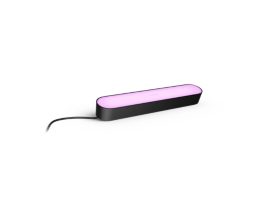
A sensor placed near the bed can trigger a low-level, warm glow from your smart strip lights to guide you to the bathroom without disrupting your circadian rhythm. This "seamless" assistance is what makes a home feel truly smart.

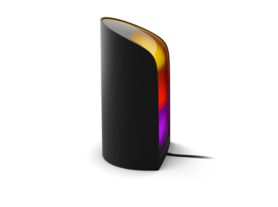
Explore the Hue table lamps and floor lamps collection.


Why Philips Hue motion sensors are ideal

With fast technological advances, the integration of AI and the Matter protocol has made Philips Hue even more powerful. These smart motion sensors don't just turn on lights; they act as data points for your home automation.

By choosing a system that is fully compatible with major voice assistants and smart home platforms like Philips Hue, you ensure that your investment in motion sensor lighting stays relevant for years to come.