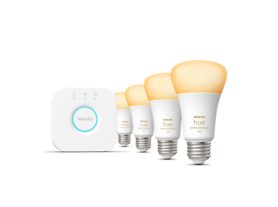
Do I need a Hue Bridge?
The question of whether you need a Philips Hue Bridge depends on how big you want your smart lighting system to be and which features matter most to you. For many starting out, the primary dilemma is: is a smart home bridge necessary for basic control, or can you get by with a simpler setup?
Here’s the short answer:
No, you don’t need a Bridge to get started — you can use Bluetooth for small setups.
But Yes, you need a Bridge if you want full control, advanced automations, and seamless home-wide connectivity.
When you don’t need a Hue Bridge
If you’re experimenting with smart lighting or just want to control a few bulbs, you can use Bluetooth-enabled Hue lights without buying a Bridge.
Ideal for small spaces
Works perfectly in apartments or single rooms.
Control up to 10 lights directly via the Philips Hue Bluetooth app.
Manage lighting with basic commands like on/off, dimming, or color change.
Simple setup via Bluetooth
All you need is:
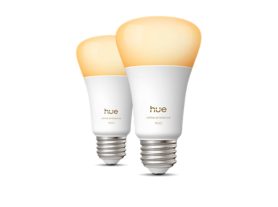
- A Bluetooth-compatible Hue bulb (look for the Bluetooth logo on the box).
- The Hue Bluetooth app (free on iOS and Android).
- Your smartphone or tablet within 10 meters (33 feet) of the lights.
This setup gives you convenient and immediate control — great for beginners or users who don’t need automation or remote access.
When do you need a Hue Bridge?
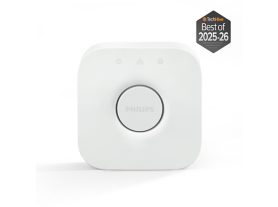
For larger homes or advanced features, the Hue Bridge is the backbone of your smart lighting ecosystem.
It connects your lights through Zigbee, a powerful mesh network that extends coverage and ensures fast, reliable communication across your home.
Benefits of using the Hue Bridge
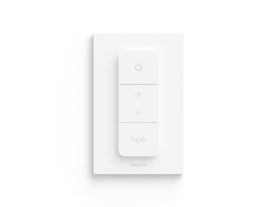
- Whole-home control for up to 50 lights and 12 accessories.
- Remote access from anywhere via WiFi or cellular connection.
- Voice assistant integration (Alexa, Google Assistant, Siri).
- Advanced automation and custom routines.
- Hue Sync for immersive experiences with TV, gaming, and music.
- Matter and Apple HomeKit support for broader smart home integration.
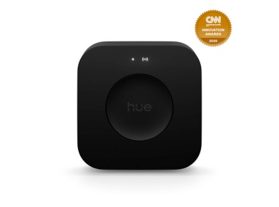
Hue Bridge Pro for power users
The Hue Bridge Pro goes even further — handling over 150 lights, 50 accessories, and offering new features like MotionAware™, which adapts lighting based on human presence and movement.
It’s ideal for large homes, offices, or professional-grade installations where performance and scalability are key.
Quick comparison — Bridge vs. Bluetooth
To help you decide between these two setups, it is essential to look at how a Bluetooth vs. smart hub configuration impacts your long-term scalability and daily control options. Use the table below to evaluate which smart lighting connection method aligns with your home’s size and your automation goals.
| Feature | Bridge (Zigbee Network) | Bluetooth (Direct Connection) |
| Connectivity protocol | Zigbee Mesh Network | Standard Bluetooth (BLE) |
| Maximum lights | Up to 50 lights and 12 accessories | Up to 10 lights |
| Control range | Whole-home coverage (lights act as repeaters) | 10 meters max |
| Remote access | Yes (WiFi & Cloud) | No |
| Hue Sync (Music, Movies, Gaming) | Yes | No |
| Matter support | Full system via Bridge update | Limited |
| Custom automations | Full routines & geofencing | Basic routines only |
| Voice control | Alexa, Google, Apple HomeKit | Limited Bluetooth commands |
| Integration with accessories | Full support (sensors, switches, etc.) | Basic pairing only |
Tip: If you ever plan to expand your lighting setup, invest in the Bridge early — it future-proofs your system.
How to decide if you need a Bridge
| You DON’T Need a Bridge If… | You DO Need a Bridge If… |
| You only have 1–10 lights. | You have 10+ lights or plan to expand. |
| You want basic control (on/off, dimming, color). | You want to control lights remotely (Out-of-Home Control). |
| You’re okay staying within Bluetooth range. | You want Hue Sync for movies, games, and music. |
| You use a few basic voice commands. | You need full automations and geofencing. |
| You don’t use accessories like sensors. | You want full Matter or Apple HomeKit integration. |
Final thoughts
So, do you really need a smart lighting bridge? While you can control a small setup via Bluetooth, a dedicated hub is required for anyone who wants whole-home reliability, out-of-home control, and advanced automation.
If you’re new to smart lighting, starting with Bluetooth-enabled Hue bulbs is simple and affordable.
But as your setup grows — or if you want full automation, entertainment sync, and voice control — the Philips Hue Bridge becomes essential.
It’s the difference between basic control and a truly smart, connected lighting experience