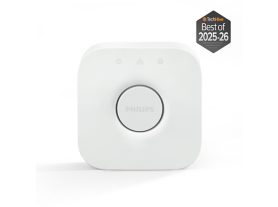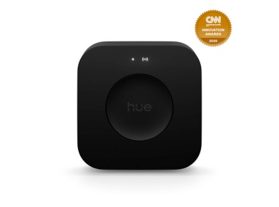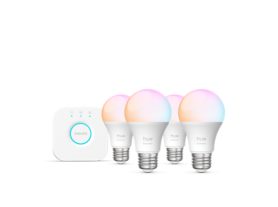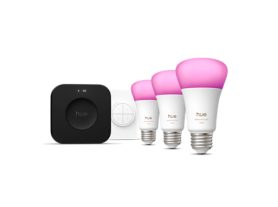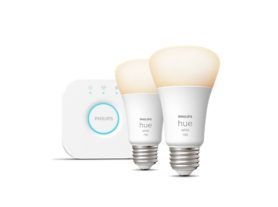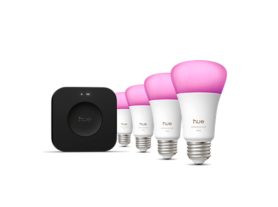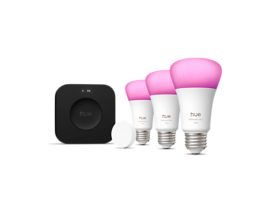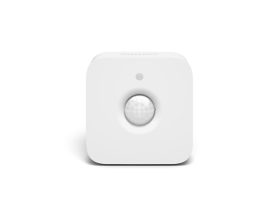
The Bridge and Bridge Pro are smart light hubs that control the Philips Hue smart light system. Compare their features to choose the right one for your needs, whether starting from scratch or expanding your setup.
Bridge and Bridge Pro: what’s the difference?
Think of it as the heart of your home smart light system. A Bridge is a smart light hub that connects to your home’s network with smart lights and accessories using a Zigbee mesh network. This allows you to control your Hue smart lights with the Hue app at home or from anywhere else in the world where you have an internet connection.
There are two generations of the Bridge: a Bridge and a Bridge Pro. Both the Bridge and Bridge Pro unlock an extensive suite of advanced smart lighting features, which make the smart light system useful, fun, and exciting to use. These include cool light effects, surround lighting to sync with home entertainment, Hue Secure home security integration with lights, cameras, sensors, voice control using smart assistants, and many clever automations.
The Bridge Pro, with its lightning-fast Hue Chip Pro and enhanced capacity, is our most advanced smart light hub that unlocks even more features and is designed for larger smart lighting setups.
Read on to find out more about the difference between Bridge and Bridge Pro.
The Bridge and the size of your smart light setup
One of the key differences between a Bridge and a Bridge Pro smart light hub is the number of smart lights and accessories each can support. If you’re just getting started with Hue smart lighting and planning a medium-sized setup, then a Bridge might be the right option.
A Bridge can support up to 50 smart lights and 12 accessories around your home, inside and outside. Consider the number of rooms and spaces in your home and how many lights each will require. Don’t forget to think about your smart lighting setup long-term, you’ll likely want to keep adding more lights and accessories over time (and we’re always launching more exciting products!).
The Bridge Pro supports 150+ lights and 50+ accessories and is perfect for larger homes, especially those with outdoor spaces such as the backyard, patio, porch, and driveway.
Bridge
Shop BridgeBridge Pro
Shop Bridge ProSize of smart light setup
Maximum number of lights per Bridge
Maximum number of controls per Bridge
Storage capacity and speed for light scenes
MotionAware™ Use lights as motion sensors
Create automations
Internet connection
Placement
Zigbee security System protection
The Bridge and motion sensing
Both the Bridge and Bridge Pro support a range of motion sensors and contact sensors that can trigger lights around your home when they detect movement.
However, the Bridge Pro uses unique MotionAware™ technology that turns your smart lights into indoor motion sensors thanks to its super-powered Hue Chip that enables complex algorithms and advanced AI features.
The Bridge Pro lets you create a motion area between 3 or 4 Hue lights and effectively turns that area into a sensor. When the area detects a presence any lights around your home that you assign to the motion area will be triggered. You can define and calibrate the sensitivity of the area that detects motion and the lights that are triggered. With MotionAware™, no additional motion sensors are required if you use a Bridge Pro for your indoor smart light setup.
With MotionAware™, your lights will intuitively respond to your movements as you move around your home. Whether you enter a room or walk down a hallway, the lights dynamically respond, enhancing your comfort and making your smart lighting setup even more intuitive and practical.
The Bridge and Hue Sync
Enhance your entertainment experience with The Bridge and Bridge Pro. Both Bridges enable you to synchronize your smart lights with movies, gaming, and music, creating an immersive atmosphere in your home. Watch as your lights flash, dance, dim, brighten, and change colors in perfect sync with all the action on your TV screen. Whether you're enjoying your favorite TV show, watching movies, or playing video games, Bridge brings a new level of excitement to your viewing and gaming experience.
Additionally, both Bridges allow you to sync your music with your smart lights, adding a dynamic element to all your songs. Transform your living room into a serene light show while listening to classical music, or set the mood for a party with a pulsating dance floor vibe. With Bridge and Bridge Pro, you can easily customize your lighting to match your entertainment preferences and create a truly captivating environment at home.
The Bridge and voice/away-from home control
The Bridge and Bridge Pro give you access to your smart home system from anywhere via the Hue app. Control your lights, receive security notifications — or just set up your system to run on a schedule with automations. Control smart lights with your voice using a range of smart assistants. Give simple commands to switch lights on or off, dim or brighten, and change their color.
Bridge
Decided on the Bridge? Head over to the product page and add it to your cart.
Bridge Pro
If the Bridge Pro is the right choice for your setup, head over to the product page and add it to your cart.