How to connect Philips Hue without a Bridge?
You can connect and control Philips Hue lights without a Bridge—a perfect solution for small setups or beginners exploring hubless smart lighting.
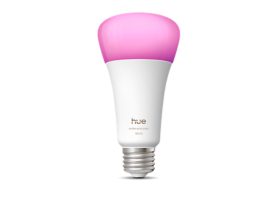
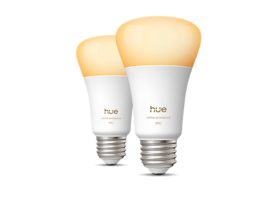
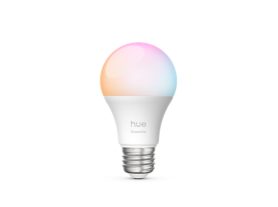
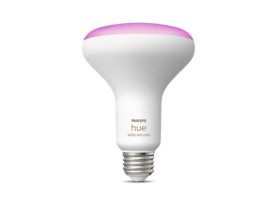
Many newer Hue bulbs include Bluetooth connectivity, allowing direct control from your smartphone using the Philips Hue app, no additional hardware required.
Let’s explore the main ways to connect Philips Hue lights without a Bridge, plus the benefits and limitations of this simpler setup.
What you need to know before starting
Before setting up your lights, make sure they’re Bluetooth-enabled — look for the Bluetooth logo on the packaging or product description.
You’ll need:
- A Bluetooth-compatible Philips Hue bulb or lamp
- A smartphone or tablet with Bluetooth
- The Philips Hue app (available for iOS and Android)
If your bulbs are Matter-enabled, you can also connect them directly to a compatible smart home controller like a Google Nest Hub, Amazon Echo, or Apple HomePod Mini.
1. Use the Philips Hue App with Bluetooth
The Philips Hue app allows direct Bluetooth pairing for basic lighting control — no Bridge required.
This setup is ideal for small apartment lighting setup, like apartments or single rooms, where you don’t need whole-home automation.
Step-by-step Bluetooth setup
- Install the bulb: Screw in your Philips Hue light and switch it on.
- Download the app: Get the official Philips Hue app from your device’s app store.
- Start pairing: Open the app and select “Set up without Hue Bridge.”
- Enable bluetooth: Grant Bluetooth access so the app can discover nearby bulbs.
- Control your lights: Once connected, you can turn lights on/off, dim them, and adjust color or white tone directly from your phone.
You can pair up to 10 lights per Bluetooth control device (e.g., one phone or tablet).
2. Connect via smart speakers
If you own a smart speaker or display, you may already have a built-in hub capable of controlling Hue lights without a Bridge.
Connect with Amazon Alexa
- Supported devices: Echo (4th Gen), Echo Show, and newer models.
- Open the Amazon Alexa app, go to Devices → Lights → Add Device.
- Choose Philips Hue, and Alexa will search for your bulbs.
- Once found, you can use voice commands like:
“Alexa, turn on the living room light.”
Read more about Philips Hue works with Amazon Alexa
Connect with Google Assistant
- Supported devices: Google Nest Mini, Nest Hub, and Nest Hub Max.
- Open the Google Home app, tap + → Set up device → New device.
- Choose your home and allow Bluetooth discovery.
- Control lights via the app or voice commands:
“Hey Google, dim the bedroom light.”
Read more about Philips Hue works with Google Assistant
3. Pair with a Hue smart accessory
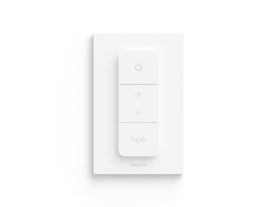
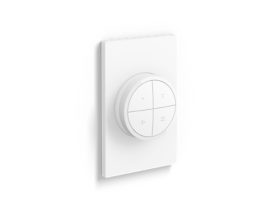
You can also connect Hue bulbs directly to Hue lighting accessories without using the Bridge or app.
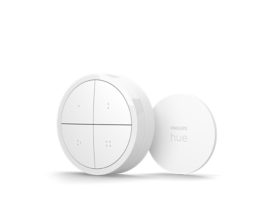
How to pair a hue dimmer switch
- Turn on the bulb.
- Hold the switch close to the bulb.
- Press and hold the “I” (On) and “O” (Off) buttons at the same time for about 10 seconds.
- The bulb will flash, confirming a successful connection.
You can now use the Dimmer Switch to turn the light on/off and adjust brightness — no app needed.
Key limitations - Hub vs. No Hub Smart Lighting
While Bridge-free setups are convenient, they have limitations compared to full Hue systems. Understanding the hub vs. no hub smart lighting debate is essential for deciding whether a simple Bluetooth connection or a dedicated controller is right for your long-term goals.
Feature | Without Hue Bridge (Bluetooth) | With Hue Bridge (Zigbee/Matter) |
Max lights | Up to 10 lights per control source | Up to 50 lights + 12 accessories |
Control range | 10 meters (Bluetooth range) | Whole-home coverage (WiFi + Zigbee mesh) |
Remote access | ❌ Local only | ✅ Global control via WiFi |
Automations | Basic timers & routines | Full automations, custom scenes, schedules |
Integrations | Limited (Bluetooth, Alexa, Google) | Full smart home compatibility (Matter, Apple HomeKit, SmartThings) |
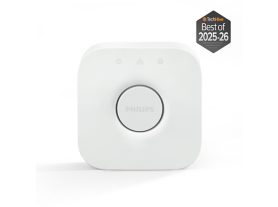
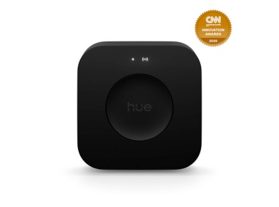
If you expand your smart home later, adding a Hue Bridge will unlock these advanced features instantly.
Final thoughts
Using Philips Hue lights without a Bridge is an easy and flexible way to experience the benefits of a modern connected home. It serves as the perfect starter smart lighting setup for those who want to enhance their environment without the upfront cost or complexity of a dedicated hub.
With Bluetooth, smart speaker integration, or Matter connectivity, you can enjoy convenient control for smaller spaces — all without extra hardware.
However, for full automation, multi-room syncing, and remote control, upgrading to a Philips Hue Bridge unlocks the complete Hue ecosystem and long-term scalability.