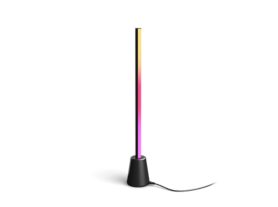
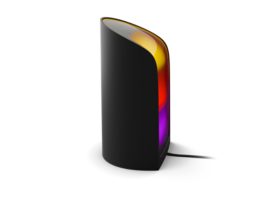
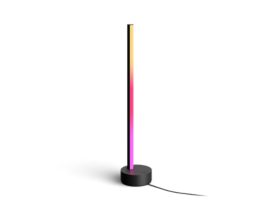
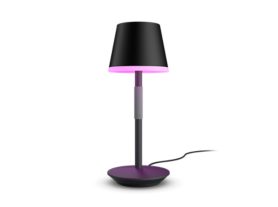
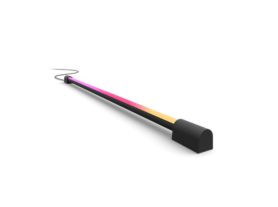
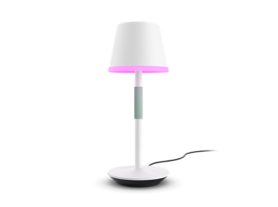
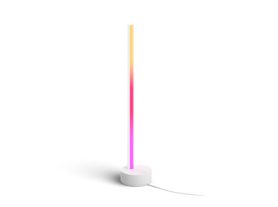
A TV in a modern living room, illuminated by Hue Play wall washer and Play lamps, which synchronise with the screen content to create an immersive and dynamic entertainment experience.

Philips Hue Netflix sync: the ultimate guide to immersive home cinema

28 July 2026

There is something undeniably magical about a movie night where the boundaries of the screen disappear. Imagine the flickering orange glow of a campfire or the neon pulses of a sci-fi thriller extending beyond your TV and washing over your living room. With Philips Hue Netflix sync, you can synchronise lights with Netflix and create an immersive surround-lighting experience that pulls you deeper into the stories you love.

In this guide, we'll explore how to synchronise your smart lights with Netflix, the Philips Hue entertainment products you need, and how to create an atmosphere that rivals the local movie theatre.

5 ways to synchronise Philips Hue lights with Netflix

Whether you stream Netflix through your TV's built-in apps, a streaming device or a gaming console, Philips Hue offers multiple ways to synchronise lights with Netflix and create immersive TV lighting.

1. Philips Hue Play screen sync

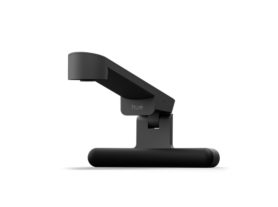
Play screen sync is the easiest way to synchronise Hue lights with Netflix on almost any TV. This dedicated screen sync device uses a fisheye lens to analyse the colours, movement and intensity of the content displayed on your screen in real time.

Because it reads what's happening directly on the screen, it works with content from all native TV apps, including Netflix, streaming devices and live TV broadcasts. Simply create an Entertainment area in the Hue app and start syncing through the Sync tab.

When connected to a Hue Bridge, Play screen sync can synchronise up to 10 colour-capable Hue lights, including bulbs, lamps and strip lights, creating a room-filling entertainment experience. Without a Hue Bridge, you’re able to synchronise one compatible Hue strip light.

A Philips Hue Play screen sync device with fish-eye lens attached on a TV and detecting the on-screen content.

2. Hue Sync TV app for Samsung and LG TVs

For compatible Samsung or LG Smart TVs (models from 2024 or later), the Hue Sync TV app provides a native TV-light sync experience without requiring an external sync device.

The app synchronises Hue lights directly with content displayed on the TV, including built-in Netflix and other streaming apps, creating seamless Netflix ambient lighting with a clean, cable-free setup. A Hue Bridge is required to use the Sync TV app, and you can synchronise up to ten colour-capable Hue lights to your TV.

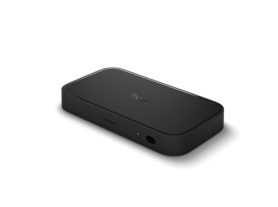
3. Philips Hue Play HDMI sync box 4K

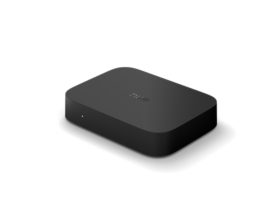
Play HDMI Sync Box 4K synchronises Hue lights with Netflix content streamed via HDMI-connected devices such as Apple TV, Roku, Fire TV, set-top boxes and gaming consoles.

Supporting crisp 4K resolution at up to 60 Hz refresh rate, it delivers smooth, responsive light syncing that reacts in real time to every scene, colour and on-screen moment.

When connected to a Hue Bridge, Play HDMI Sync Box 4K can synchronise up to 10 colour-capable Hue lights, including bulbs, lamps and strip lights, creating a room-filling entertainment experience. Without a Hue Bridge, you’re able to synchronise one Hue strip light.

Woman holding a remote using Hue Sync with a TV

4. Philips Hue Play HDMI sync box 8K

For advanced home theatres and next-generation gaming systems, Play HDMI Sync Box 8K delivers Philips Hue's most advanced HDMI-based entertainment experience. Sync Box 8K synchronises Hue lights with Netflix content streamed via HDMI-connected devices such as Apple TV, Roku, Fire TV, set-top boxes and gaming consoles.

Supporting HDMI 2.1 connectivity, 8K resolution at 60 Hz and 4K resolution at up to 120 Hz, Sync Box 8K is designed for gamers and home cinema enthusiasts who want immersive lighting alongside premium picture quality.

When connected to a Hue Bridge, Play HDMI sync box 8K can synchronise up to 10 colour-capable Hue lights, including bulbs, lamps and strip lights, creating a room-filling entertainment experience. Without a Hue Bridge, you’re able to synchronise one Hue strip light.

5. The Hue Sync Desktop app

If you watch Netflix on a PC or Mac connected to a monitor or TV, the free Desktop app is an excellent entry point. It captures the screen's colour data directly from your computer to communicate with your Hue Bridge smart home hub.

Though the Hue Sync desktop app is intended for computers and laptops, you can still use it for your TV – all you need to do is cast. If you have a streaming device already connected to your TV, simply cast your computer screen (playing Netflix via the Chrome browser) or connect it via HDMI to the TV and you’ll be able to sync your lights. While this option works, it may not provide the same quality as syncing to your TV with the Philips Hue Play HDMI Sync Box.

Which Netflix sync option is right for you?

How it works

Works with Netflix TV apps?

Best for

Play screen sync

Uses a fisheye lens to analyse content displayed on your TV screen and synchronises your Hue lights in real time.
Yes
Most TV setups, including built-in Netflix apps, streaming devices and broadcast TV.

Hue Sync TV app

Synchronises lights directly with content displayed on compatible Samsung and LG TVs.
Yes
Users with compatible TVs who stream Netflix using a native TV app.

Play HDMI sync box 4K

Synchronises lights with content from HDMI-connected streaming devices, set-top boxes and gaming consoles.
No*
Streaming, movies, sports and everyday gaming up to 4K at 60 Hz.

Play HDMI sync box 8K

Synchronises lights with content from HDMI-connected devices using HDMI 2.1 technology.
No*
Advanced home theatres and next-generation gaming with support for up to 4K at 120 Hz and 8K at 60 Hz.

Hue Sync desktop app

Synchronises lights with content playing on a Windows or Mac computer.
N/A
Watching Netflix or gaming on a PC or Mac.

* Works with Netflix when streamed through a connected HDMI device such as Apple TV, Fire TV, Roku, Chromecast, PlayStation or Xbox.

Explore the Hue synchronise with TV options.

How do Philips Hue lights synchronise with Netflix?

A common question among smart home enthusiasts is: does the Philips Hue sync box work with Netflix? The answer is yes, but it depends on how you stream.

If you primarily watch Netflix through your TV's built-in apps, Play screen sync or the Hue Sync TV app are typically the most straightforward solutions because they can synchronise lights with content displayed directly on your television.

Does the Philips Hue Sync Box work with Netflix?

The Philips Hue Play HDMI Sync Box 4K and Sync Box 8K work by analysing an incoming HDMI signal. It sits between your content source and your TV, reading pixel data in real-time. Because of this, it cannot "see" the Netflix app if it is running natively on your Smart TV's built-in software.


To enjoy the Philips Hue Play HDMI Sync Box and Netflix integration, you must stream Netflix through an external device plugged into the sync box, such as:

  • Streaming devices: Apple TV 4K, Chromecast with Google TV, Amazon Fire TV Stick or Roku.
  • Gaming consoles: PlayStation 5 or Xbox Series X/S.
  • Set-top boxes: High-definition cable or satellite boxes.

Philips Hue entertainment products for Netflix sync

Discover the Hue lighting control and LED strip lights collection.

How to set up your Philips Hue Netflix sync experience

Setting up your entertainment area is straightforward.

Step 1: Install your sync solution

Set up your Play screen sync device, Play HDMI Sync Box 4K, Play HDMI Sync Box 8K or Hue Sync TV app according to the product instructions.

Step 2: Create an Entertainment area

In the Hue app, navigate to Settings > Entertainment areas and place your lights in a virtual room layout that matches their real-world position.

Step 3: Start syncing

Open the Sync tab in the Hue app, select your Entertainment area and start syncing. Then launch Netflix and watch your room comes to life with colour-matched lighting.

Pro Tip: To make the experience truly seamless, enable "CEC Detection" in the settings, so your lights automatically start syncing the moment you turn on your Apple TV or Xbox.


Top Philips Hue Products for Entertainment setups

Create a starter kit
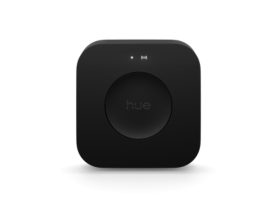
Bridge Pro

Bridge Pro

£129.99

Create a starter kit
Signe gradient table lamp
Create a starter kit
Signe gradient floor lamp
Play light bar double pack

Play light bar double pack

£129.99

Only a few left

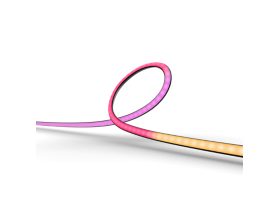
Play gradient light tube compact

Play gradient light tube compact

£184.99

Only a few left

Create a starter kit
Play gradient light tube large

Play gradient light tube large

£199.99

Only a few left

Signe gradient table lamp

Signe gradient table lamp

£199.99

Only a few left

Create a starter kit
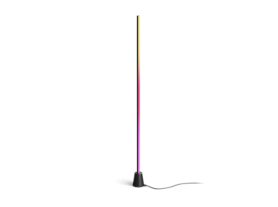
Signe gradient floor lamp

Discover the Hue floor lamps and table lamps collections

Inspiration: beyond the glow

A Philips Hue Netflix sync setup isn't just about flashing lights – it's about atmosphere.

For a suspenseful thriller, the lights can remain dim and moody, reacting subtly to moments of tension. For a nature documentary, your entire room can transform with vibrant greens, deep ocean blues and warm sunset tones.

Using the Sync tab in the Hue app, you can adjust the intensity of the experience to suit what you're watching. Choose a more subtle effect for relaxed viewing or increase the intensity for action-packed blockbusters, sports and gaming sessions.


Transform your movie nights

Setting up Philips Hue Netflix sync is more than just a tech upgrade. By extending the colours of the screen into your physical space, you can create a more immersive viewing experience that draws you deeper into every movie, show and documentary.

Whether you choose Play screen sync, Play HDMI Sync Box 4K, Hue Sync TV app or Play HDMI Sync Box 8K, you'll enjoy smart lighting that reacts to every scene in real time. Grab the popcorn, dim the lights and let the show begins.