Ratings and Reviews
Overall score: 4.4
26 reviews
Cautiously Optomistic About The Future
2026-09-17T16:02:56.000+00:00
PGGG
4
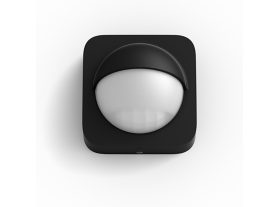
The only thing this is missing is setting for when one is in a scene. We should be able to add our motion sensor (as disabled) to a scene when we're in it. Perhaps even, "While in scene...." then be able to set all behavior settings, trigger sensitivity and room. If I create "Watch a Movie" I don't want the light in the room to turn on due to motion. **** I know I can disable it manually ****** Scene ends, pop the stack and go back to previous settings. Lastly, I would love this to be more of an "occupancy sensor" than a motion one. Sometimes I have to wave my arms to keep motion triggered the lights on.
Motion Sensor half-functional
2026-08-18T21:05:06.000+00:00
Courtney
2
I use this motion sensor in my kitchen so when I come out to get a drink during the night a soft light automatically turns on. That works fine, but it also turns on more than half the time without any motion activating it. I’ll come out in the middle of the night and the light will already be on. At first I wondered if someone was in the house I wasn’t aware of. Freaked me out. That’s annoying and a waste of electricity.
Excellent product
2026-07-30T14:36:42.000+00:00
GrantC
5
I already owned one of these motion sensors and have used it to trigger several items including and hue smart plug to turn a fan on using the temperature. It currently operates a hue build to turn on and off when I go into the utility room. It also monitors temp and humidity in the utility room very reliably. This new one still works exactly as all my hue stuff does and that is seamlessly
Review
2026-08-18T21:05:09.000+00:00
Clifford Ireland
5
If a user is still planning to use Alexa, they should carefully name each product that they insert through the Phillips application, so they can figure out which is which when they use Alexa. You should also review the software, perhaps providing a good manual for the naming procedures, and making some other software GUI interactions easier to use
Handy accessory but overpriced
2026-08-18T21:05:08.000+00:00
torrnado
5
The motion sensor works really well and is so convenient to have a motion and light sensitive switch for our hue bulbs. Programming wasn't as smooth as I think it could be, but testing allowed me to perfect it for our needs. It is, however, expensive for what it is worse than the relative price of other hue products.
Automation is the future
2026-08-18T21:05:09.000+00:00
Iceolated1906
5
Very convenient and works as it should. Saves you that extra few seconds of turning on a Light switch, but who has a few seconds these days :-). Get this just so get used to saving that time and energy and so you can have the automation convenience. This works very, very well.
Quick Connection to Bridge and Easy to Use
2026-08-18T21:05:06.000+00:00
Andy E
5
i was able to connect this to my Bridge and start using it within a few minutes. The connection is seamless, as are the bulbs, setting up automation was quick and intuitive. I would recommend to anyone wanting lights to come on when triggered by motion.
Pet
2026-08-18T21:05:09.000+00:00
Orejas
5
As of a one week purchase it's awesome. I purchased it for my dog. He's getting old and I needed something to activate the lights for when he needs to go upstairs to drink, eat or do his thing. Makes it light able for him.
Hue Motion Sensor
2026-08-18T21:05:08.000+00:00
Bryan G
4
Easy to setup and functions well. There is room for improvement on the software side. I would like to see the ability to link two or mor sensors in a room/zone, and a dusk to dawn option
Works great and adjustable in the app!
2026-08-18T21:05:10.000+00:00
Rob C
5
Very impressed. Works well with lots of ability to change sensitivity and set schedules. Love it!! Only change I wish is the magnetic back didn’t protrude so much