How to install LED strip lights on ceiling?
Installing LED strip lights on the ceiling is one of the most effective ways to create modern, indirect lighting. Known as cove lighting or ambient ceiling lighting, this method produces a soft glow without visible bulbs, enhancing the atmosphere of any room. For excellent indirect ceiling lighting results and creative ceiling strip lighting ideas, proper installation ensures the strips remain secure, deliver consistent illumination, and maximize smart lighting features for systems like Philips Hue. (For detailed setup instructions, refer to our Philips Hue LED Strip Setup Guide).
Choosing the right placement
Indirect ceiling lighting works best when the strips are concealed behind architectural features. To achieve the perfect, seamless glow, the distance between the LED strip and the ceiling surface should ideally be 4 to 6 inches (10–15 cm). This distance allows the light to spread evenly, minimizing hot spots and creating a smooth wash of light.
- Crown molding: place the strip along the wall, just below molding, angled upward to wash light across the ceiling.
- Valances or ledges: install strips facing upward or slightly angled toward the room’s center for a continuous glow.
- Ceiling recesses: use recessed channels or soffits to hide the strip entirely while directing light toward the ceiling or walls.
Concealment ensures a clean, professional look while protecting the strip from accidental contact or damage. For more ideas on how to transform your spaces, read our guide on the best locations to install LED strips.
Surface preparation
Proper preparation is critical for long-term adhesion, especially on ceilings where gravity works against you:
- Clean thoroughly: Remove dust, grease, or dirt using a damp cloth or mild cleaning solution.
- Dry completely: Ensure the surface is fully dry before applying adhesive strips.
- Smooth surface: Adhesion works best on flat, smooth surfaces; textured ceilings may require mounting clips or channels for extra security.
Troubleshooting Installation Issues
Installing the LED strip
Step 1 – Apply adhesive
- Peel off the pre-applied adhesive backing from the strip.
- Press firmly along the length of the strip, ensuring full contact.
- Avoid stretching the strip as this can damage internal circuitry.
Step 2 – Use mounting clips for added security
Ceiling installations may benefit from extra support:
- Mounting clips: Small clips screwed or stuck to the ceiling every few feet prevent sagging.
- Aluminum channels or profiles: Provide stability, diffuse light evenly, and protect the strip from dust and heat.
Step 3 – Connect to power and smart hub
For smart strips like Philips Hue:
- Ensure the controller box (where the power cable attaches) is easily accessible.
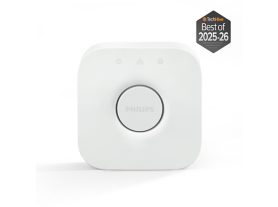
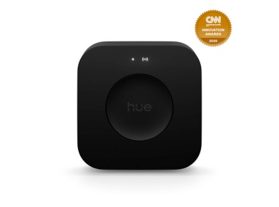
- Connect to the Hue Bridge or smart hub for app control, automation, and color adjustments.
- Test the strip before finalizing installation to confirm proper function. This is also the ideal time to ensure your smart home compatibility by connecting the strip to your main hub and testing voice commands (e.g., Alexa or Google Home) and integration with other IoT devices before sealing the installation.
Smart lighting tips for Philips Hue ceiling installations
- Flexible layout: Use the strip’s flexibility to run continuous light around corners or along perimeter ceilings.
- Scenes and effects: Program different colors, dimming, or automated routines through the Hue app for dynamic ambient lighting.
- Extensions: If longer runs are needed, use official Hue extensions to maintain reliability and smart features.
- Accessible power supply: Ensure access to power adapters and connectors for future troubleshooting or maintenance.
Pro Tip: Integrate your ceiling lighting with other fixtures to create comprehensive room themes. For inspiration, check out our guide on kitchen, bedroom, living room and outdoor strip lighting ideas.
Maintenance and longevity
- Check adhesion: Periodically inspect adhesive strength and reposition clips if needed.
- Keep dust-free: Dust buildup can reduce brightness and adhesion.
- Avoid heat stress: Ensure strips are ventilated, especially near ceiling lights or HVAC vents.
- Regular firmware updates: For smart strips, keep Hue firmware updated to avoid flickering or connectivity issues.
Modern LED strips offer significant advantages beyond aesthetics:
- Extended Lifespan: High-quality strips are rated for up to 25,000 hours (L70), meaning your ceiling installation can provide vibrant light for over a decade with standard usage, reducing waste.
- Energy Efficiency: LED technology uses up to 80% less energy than traditional lighting, contributing to lower utility bills and a smaller environmental footprint.
Conclusion
Installing LED strip lights on the ceiling transforms any room with indirect, soft, and ambient lighting. Using pre-applied adhesive is simple, while mounting clips or channels ensure the strips stay secure over time. Philips Hue strips offer flexibility, smart features, and extensions for custom ceiling lighting designs. With proper placement, preparation, and attention to accessibility, you can achieve a professional, long-lasting ceiling lighting setup that enhances both style and functionality.