Philips Hue Play screen sync
$239.99
Current price is $239.99
New



Only a few left
About the Philips Hue Play screen sync
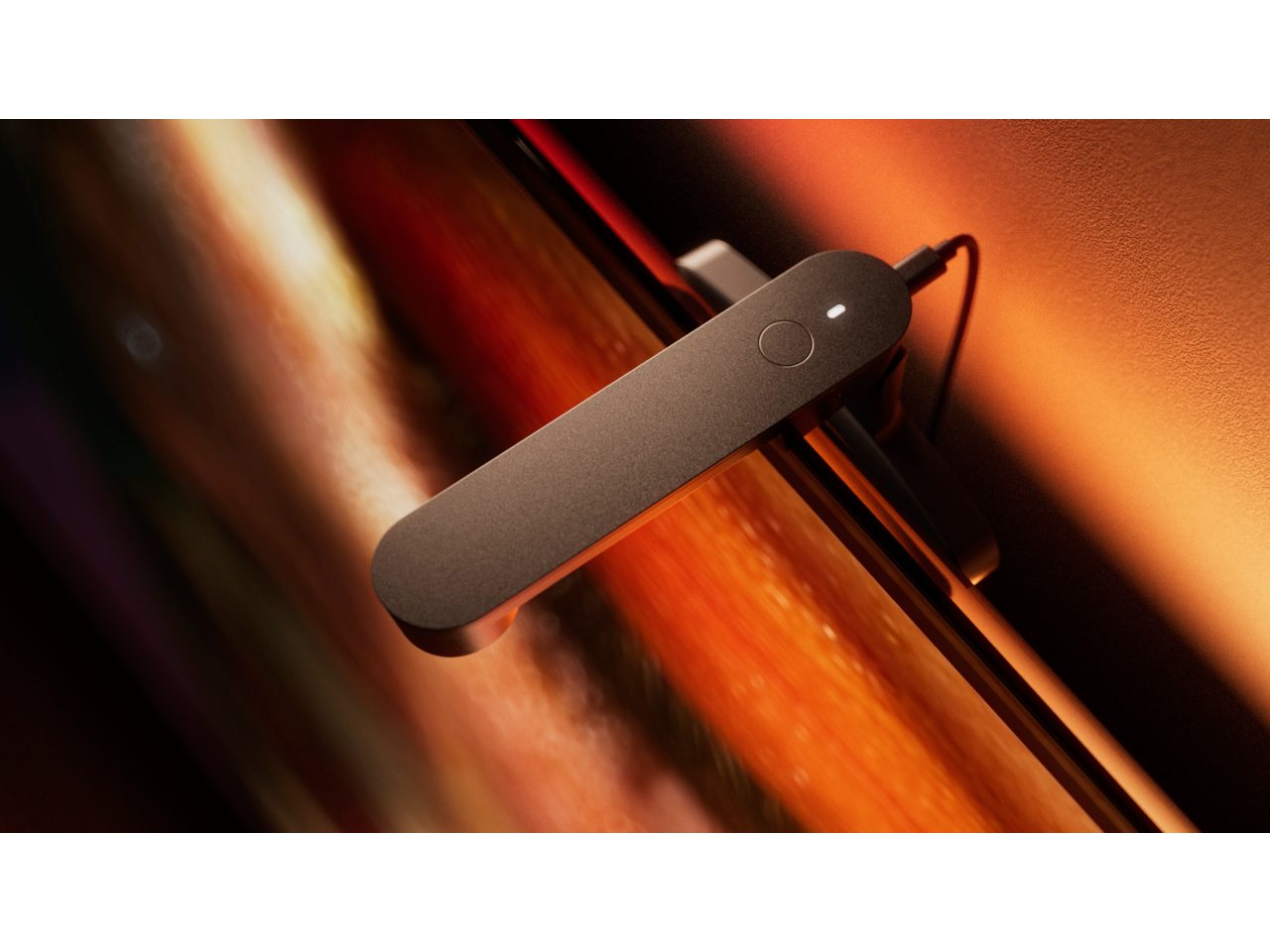
Don’t just watch TV — experience it! Hue screen sync is a plug-and-play solution designed to get you started with the world of Hue entertainment. It fits effortlessly to your TV and syncs on-screen content with your Hue lights in real time, matching every moment in a beautifully coordinated display of light and color. Sync your favorite films, series, and sports — whether you’re streaming on your favorite native apps or watching broadcast TV. A fisheye lens captures the entire screen edge to edge. The advanced sync algorithm analyzes every color to deliver optimized light syncing, so your Hue lights mirror all the action — even when the lighting conditions in your room change. Set up your entertainment area in the Hue app, effortlessly sync your lights with Hue Play screen sync, then customize the experience to complement whatever you’re watching.
- Simple plug-and-play solution
- Sync any content via Hue app
- Full-screen capture with fisheye lens
- Advanced color matching algorithm
- Seamless integration with Hue setup
Features
- Product number (EAN/UPC)
- 8721103173164
Design and finishing
- Main Color Product
- Black
- Main product material
- Plastic
Durability
- Total lifetime
- 87,600
- Ambient temperature range
- 0 to +40 °C
Extra feature/accessory incl.
- Battery Included
- No
Packaging dimensions and weight
- EAN/UPC - product
- 8721103173164
- Net weight
- 0.35 kg
- Gross weight
- 0.56 kg
- Height
- 190 mm
- Length
- 100 mm
- Width
- 147 mm
- Material number (12NC)
- 929004440204
Power consumption
- Standby Power
- 0
- Power
- 1.5
Product dimensions and weight
- Power cable length
- 2,000
- Overall product height
- 68.2 mm
- Overall product length
- 180.4 mm
- Overall product width
- 139.6 mm
- Product height range
- 45.5 mm to 68.2 mm
Service
- Warranty
- 2 year(s)
Technical specifications
- Mains power
- 100-240 V
- IP main product
- IP20
- Protection class IEC
- Class III - Safe Extra Low Voltage
- UL Wet/ damp/ dry location
- Dry location
- Radio frequency sensing
- Not applicable
- Mounting options
- TV
The bulb
- Software upgrades
- Yes
What's supported
- Dynamic effects
- Yes
- Hue App
- Android 12.0 and above, iOS 17 or later
- Wi-Fi standard
- Works without Wi-Fi
- Number of HDMI ports
- 0
- Video resolution
- no video output
- Format videostreaming
- no video output
- Software updates support period
- Minimum 60 months from date of purchase from an authorized reseller
- Compatible operating systems
- Android, iOS
- Wireless technology
- Bluetooth, Zigbee
- Compatibility with 3rd party systems
- Alexa, Google Home, Apple Home, IFTTT, Klikaanklikuit, Matter, Samsung Smartthings, Sonos
- Matter functionality
- Not applicable
Other
- Product Documentation
- User Manual
- Disposal of the product
- At the end of (economic) life dispose the product according to local rules and do not dispose the product with regular household waste. The correct disposal of your product will help prevent potential negative consequences for the environment and human health
- Dismantling
- No dismantle information available
FAQs
How much space do I need behind my TV?
At least 8 cm (3.1 in) between your TV and the wall, so the cable can pass through.
Not sure which Philips Hue sync option is right for you?
Check out our Sync guide to compare the available options and find the best set-up for your needs
Does it need a clear view of my screen?
Yes. Keep the whole screen in view, with no soundbars, plants or cables in the way.
Do I need to recalibrate?
Only if you move your TV, Screen Sync or your lights.
Will it fit my TV?
Yes, if your TV is up to 30 mm (1.2 in) thick.
How long is the cable?
1.5 m (4.9 ft), so check the distance to your power socket before mounting.
How long does setting up take?
Calibration is quick, and colours fine tune themselves over a few minutes of watching.
Does my room need to be dark?
Dim is best for watching. Avoid sunlight or lamps reflecting on the screen. Our troubleshooting guide has easy fixes.
What do I need to set my screen sync up?
The Philips Hue app and Hue lights in an Entertainment Area. Guided calibration in the app does the rest. Stuck? Try our troubleshooting guide.
What if the colours don’t look right?
It’s usually due to glare on the screen or TV settings like Eco Mode. See our troubleshooting guide for quick fixes.