How many Hue Bridges do I need?
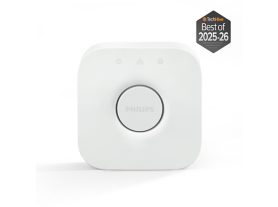
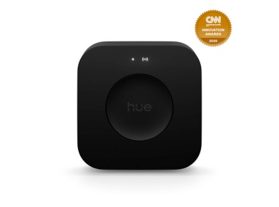
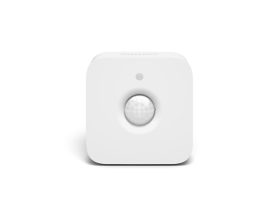
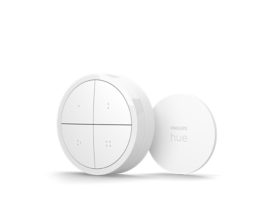
Most homes only require one Hue Bridge to manage their smart lighting system. When considering your smart home controller capacity, it is important to choose a hub that can grow with your needs. Most homes only require one Hue Bridge to manage their smart lighting system. The Hue Bridge can control up to 50 lights and 12 accessories, while the Hue Bridge Pro supports 150+ lights and 50+ accessories.
However, the number of Bridges you need depends on the size of your home, number of devices, and layout.
Device limits for current Hue Bridges
Every smart lighting controller has finite hardware resources, including processing power and memory (RAM), to manage the constant flow of signals between your app and your bulbs.
Understanding these smart home hub device limits is crucial because exceeding them can lead to significant performance issues.
| Bridge Model | Maximum Lights | Maximum Accessories/Controls |
| Hue Bridge | 50 lights (hard limit 63) | 12 accessories (switches, sensors) |
| Hue Bridge Pro | 150+ lights (hard limit 186) | 50+ accessories |
When is more than one Bridge needed?
Exceeding device limits
If your home requires more than 50 lights and 12 accessories (Hue Bridge) or 150+ lights and 50+ accessories (Hue Bridge Pro), a second Bridge may be necessary.
Large home layout or range issues
- Philips Hue uses Zigbee mesh networking — each light acts as a repeater.
- In very large homes, or with separate buildings like garages, a single Bridge may not reach all devices reliably.
- A second Bridge can establish a separate network to cover distant areas.
If you find that "dead zones" persist despite adding lights, you may need a multi-bridge smart home setup. Installing multiple smart home bridges allows you to establish separate, robust networks to cover distant wings of a house or outdoor areas reliably.
Key considerations for multi-Bridge setups
Performance
The official device limits exist to maintain fast, stable communication. Overloading a Bridge can cause slower response times or unresponsive lights.
Multi-Bridge support in the Hue App
Philips Hue’s app allows multiple Bridges to be linked to a single account.
You can control all devices from one interface.
Some functions, like automations and certain voice assistant controls, remain limited to devices on a single Bridge.
Using the Hue Bridge Pro
If you plan a large installation from the start, the Hue Bridge Pro is designed for extensive setups.
- Supports 150+ lights
- Supports 50+ accessories
- Designed to reduce the need for multiple Bridges in most large homes.
Final thoughts
The size of your home and how many lights and devices you want to include in your setup are factors to consider when choosing a Hue Bridge or Hue Bridge Pro.
- Use a Hue Bridge for up to 50 lights.
- Choose a Hue Bridge Pro for large homes or professional installations.
- If your home layout or device count exceeds the Bridge’s capacity, Philips Hue supports multi-Bridge setups, linked through a single app, to maintain full control.
Start with a single Bridge unless you have a very large home or plan an extensive setup. The Hue Bridge Pro can handle most large configurations without the need for multiple devices.