Secure contact sensor
Current price is £34.99
Current price is £34.99

In stock
- Free shipping over £50 (UK only)
- Free 30-day returns
- 2-year warranty
Ensure that you're fully equipped
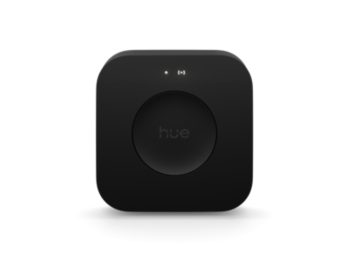
For a Secure contact sensor a Bridge is required
About the Secure contact sensor
Get peace of mind both at home or away with the Secure contact sensor! Place it on doors, windows, cabinets, safes and more with the included adhesive backing – and receive a notification or even turn on the lights when the sensor is opened.
- Hue Bridge required
- Wireless installation
- Automates your light
- Long battery life
- Mounts on doors and windows
Features
- Product number (EAN/UPC)
- 8719514487345
Design and finishing
- Colour
- White
- Material
- Synthetic
Extra feature/accessory incl.
- Batteries included
- Yes
- Upgradeable with Philips Hue Bridge
- Yes
Packaging dimensions and weight
- EAN/UPC - product
- 8719514487345
- Net weight
- 0.03 kg
- Gross weight
- 0.11 kg
- Height
- 140 mm
- Length
- 72 mm
- Width
- 72 mm
- Material number (12NC)
- 929003563903
Service
- Warranty
- 2 year(s)
Technical specifications
- Battery type
- CR2
- IP code
- IP20
- Class of protection
- Class III – Safe Extra Low Voltage
- Mounting options
- Door, Window
The contact sensor
- Height
- 7 cm
- Width
- 2.2 cm
- Depth
- 2 cm
- Mounting distance between sensor and magnet
- 2 cm
- Mounting options
- Adhesive tape, Screws (not included)
- Battery lifetime
- 2 year(s)
- Weight sensor
- 0.028 kg
- Weight magnet
- 0.006 kg
- Operating temperature
- -20°C to 45°C
- Placement
- Door, Window
- Connection protocol
- Zigbee
The switch
- Minimal battery lifetime
- 2 year(s)
What's supported
- Compatible with Effects feature
- Yes
- Philips Hue App
- Android 10.0 and above, iOS 16 or later
- WiFi
- Works without Wi-Fi
- Compatible with Hue Secure
- Yes
- Defined support period
- Minimum 60 months from date of purchase from an authorised reseller
- Max. number of accessories
- 12 (with Hue Bridge)
- Compatible operating systems
- iOS, Android
- Communication protocol
- Bluetooth, Zigbee
- Compatibility with third-party systems
- Alexa, Google Home, Apple HomeKit, IFTTT, Klikaanklikuit, Matter, Samsung SmartThings, Sonos
Other
- User manual
- User Manual
- Disposal of the product
- At the end of (economic) life, dispose the product according to local rules and do not dispose the product with regular household waste. The correct disposal of your product will help prevent potential negative consequences for the environment and human health
- Dismantling
- No dismantle information available
FAQs
What do I need to use a Hue contact sensor?
The Hue Secure contact sensor requires a Hue Bridge-controlled Hue setup, as well as the Hue app. If you wish to control your lights then you also need at least one Philips Hue light (sold separately). If you wish to use your sensor for security monitoring, then lights are recommended but not required.
Can I customise how my lights turn on when triggered by a Hue Secure contact sensor?
Yes. You can customise Hue Secure contact sensors to trigger different light scenes per room/zone you've selected.
How many Hue lights can I control with the Hue Secure contact sensors?
A Hue Secure contact sensor can control up to three Rooms, a Zone or even your entire smart lighting setup. It's up to you! If you prefer to control only a subset of lights within a Room, we recommend first creating a Zone out of them, to get the most flexibility in terms of creating and selecting scenes for them
How can I add my Hue Secure contact sensor to my Hue setup?
You can add a Hue Secure contact sensor to your setup by going to the Hue App > Settings > Devices and tapping on the + button
Can I use the Secure contact sensor outdoors?
The Secure contact sensor is designed for indoor use only.
How can I go back to the factory settings of my Hue Secure contact sensor?
In case you want to restore the default configuration of the contact sensor or if trying to remove undesired behaviors, navigate to the edit screen of your device and tap on the Reset button
Do I need to connect electrical wires to install the Hue Secure contact sensor?
No. The Hue Secure contact sensor is wireless and battery powered, so you won't have to worry about any wires.
Can my Hue Secure contact sensors turn off lights?
Yes. Your Hue secure contact sensor can be set to turn lights off immediately when closing the door/window that was opened or after a certain amount of time after it was opened. You can configure this via the Hue app
Where can I place my Hue Secure contact sensor?
You can use a Hue Secure contact sensor indoors within range of your setup. We recommend placing the magnet — the smaller piece of the sensor — on the part of the door or window that moves, so the door or window itself. Place the sensor itself on the door or window frame. You can place the magnet to the left or right of, or above, the glossy part of the sensor. We don't recommend installing it on steel or magnetic surfaces (such as speakers) because they can affect the sensor's performance. Be sure there's enough space around the sensor to remove it if you need to replace the battery. We recommend that you test out the sensor before you permanently mount it
Trending products
Sale
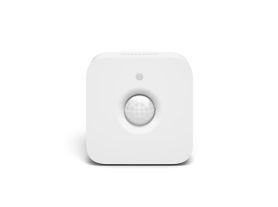
Hue Motion sensor
Wireless installation
Battery powered
Automates your lights
Mounts anywhere
£39.99
Sale
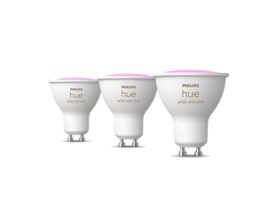
GU10 – smart spotlight – (3-pack)
White and colour light
Up to 400 lumens
Add Hue Bridge to unlock more
£139.99
New
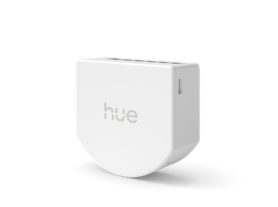
Wired on/off switch (2-channel) for non-smart lights
Add non-smart lights to Hue
App & voice control
No battery required
Unlock more with a Bridge
£49.99
New
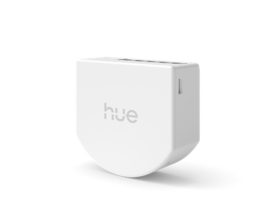
Wired on/off switch (1-channel) for non-smart lights
Add non-smart lights to Hue
App & voice control
No battery required
Unlock more with a Bridge
£44.99
Sale
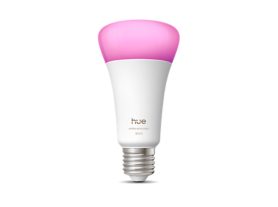
A67 – E27 smart bulb – 1600
Up to 1600 lumen
Full-spectrum daylight
Ultra-low dimming 0.2%
Chromasync™ precision colour
£64.99
New
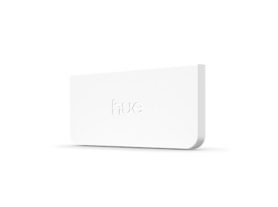
Philips Hue wall light module
Hue app and voice control
Control up to 100 panels
Add Nanoleaf to light scenes
Simple set up in the Hue app
£34.99
Sale
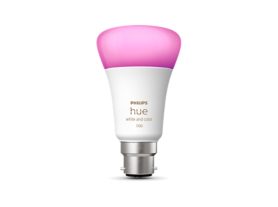
A60 – B22 smart bulb – 1100
Up to 1055 lumens*
White and coloured light
Instant control via Bluetooth
Add Hue Bridge to unlock more
£54.99
£32.99
Sale
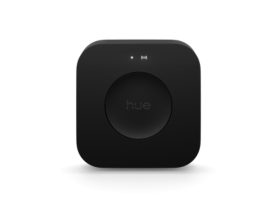
Bridge Pro
Supports 150+ lights, 50+ accessories
Enables Hue Sync, MotionAware™
Unlocks whole-home control
Advanced encryption with Zigbee Trust Centre
£129.99
Sale
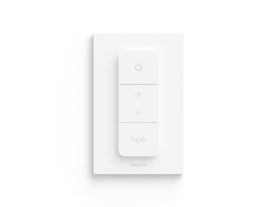
Dimmer Switch (latest model)
Wireless installation
Battery powered
Easy access to light scenes
Use as a remote control
£19.99