Idea great but doesn’t seem to work in my house
2026-10-02T18:12:46.000+00:00
HS
1
Following the instructions has yet to result in actually working. The older versions were better/easier

£69.99
Current price is £69.99
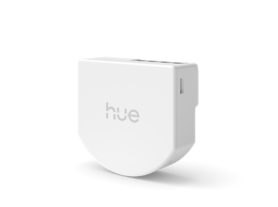
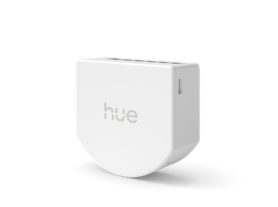
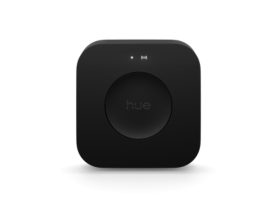
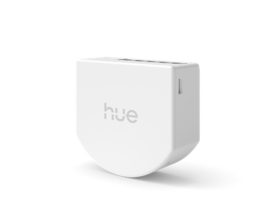
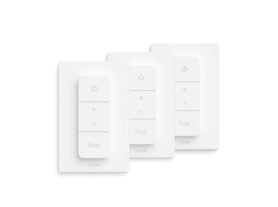
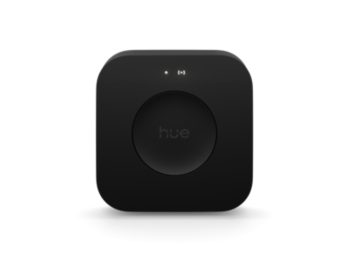
For a Wired wall switch module for smart lights (2-pack) a Bridge is required
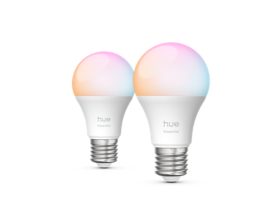
This product is for smart lights. The wired module keeps your Philips Hue lights powered and controllable – even when someone turns off the wall switch. Powered by your home's wiring – no need to replace batteries. Install it behind your wall switch, or in the ceiling above your light fixture, where a neutral wire is available. Once installed, you can use your existing switch to control lights in rooms and zones, or cycle through your favourite pre-set scenes with a simple flip. Requires a Hue Bridge, which uses a reliable Zigbee connection for local control, so your lights can respond even if Wi-Fi is down. For more information: https://www.philips-hue.com/support/wall-switch-modules
The Hue wall switch module can be configured to different modes of operation, depending on your needs. For example, you can set it to trigger different scenes based on the current time of the day, cycle through your favourite scenes on repeated presses, turn on always the same scene, turn some or all lights in your setup off or even start/stop automations. You can configure these via the Hue app.
A Hue wall switch module can control up to two Rooms, a Zone or even your entire smart lighting setup. It's up to you! If you prefer to control only a subset of lights within a Room, we recommend first creating a Zone out of them, to get the most flexibility in terms of creating and selecting scenes for them.
The Hue wall switch module is designed to fit in the electrical box behind your wall switches. Make sure that these locations are within range of your setup
In case you want to restore the default configuration of the Hue wall switch module, or if trying to remove undesired behaviours, navigate to the edit screen of your device and tap on the Reset button. If issues persist, consider deleting the switch from the Hue app and resetting the device physically by pressing the setup button for more than 10 seconds and then re-adding it via the Hue app.
Yes! The buttons on wall switch modules can be configured to either trigger lights or automations. If selecting automations, you will be allowed to start and/or stop any of your automations that can be manually activated via the app. For example, start the mimic presence automation whenever you go out
Yes. Although the Hue wall switch module runs on batteries, you will need to disconnect the existing wires feeding into your existing wall switches and then connecting them together with the provided wire nut when installing this device. Please check local regulations on how to do this in a proper and safe way.
You can add a Hue wall switch module to your setup by going to the Hue App > Settings > Devices and tapping on the + button
Your Hue wall switch module can be connected and configured to control either rocker or push switches. Rocker switches are those that when pressed they shift position and remain like that. Push switches are those that where after releasing they return back to their previous position. Additionally, your Hue wall switch module supports single or dual buttons per switch. You can configure this via the Hue app when adding the Hue wall switch module to your setup
A Hue bridge is mandatory to control your Hue lights via the Hue wall switch module, as well as the Hue app and at least one Hue light (sold separately). Additionally you might need tools to install it as it will require re-wiring your existing wall switch and handling live mains wires.
Yes. You can set up a Hue wall switch module to control your outdoor Hue lights via the Hue app. However, they are rated for indoor use, so be sure to only use them inside.
No. A Hue bridge is required to be able to control your Hue lights with a Hue wall switch module
Buttons on your Hue wall switch module have the smart on/off option to toggle lights. If enabled, when pressing the button the lights will be turned off if they were previously on, or will go to the appropriate scene depending on the mode if they were previously off.