Tap dial switch
$69.99
Current price is $69.99
In stock

About the Tap dial switch
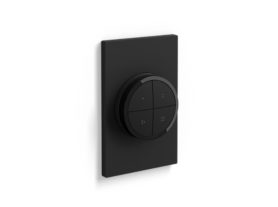
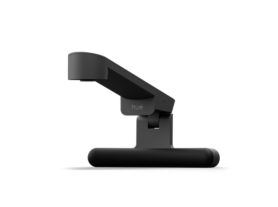
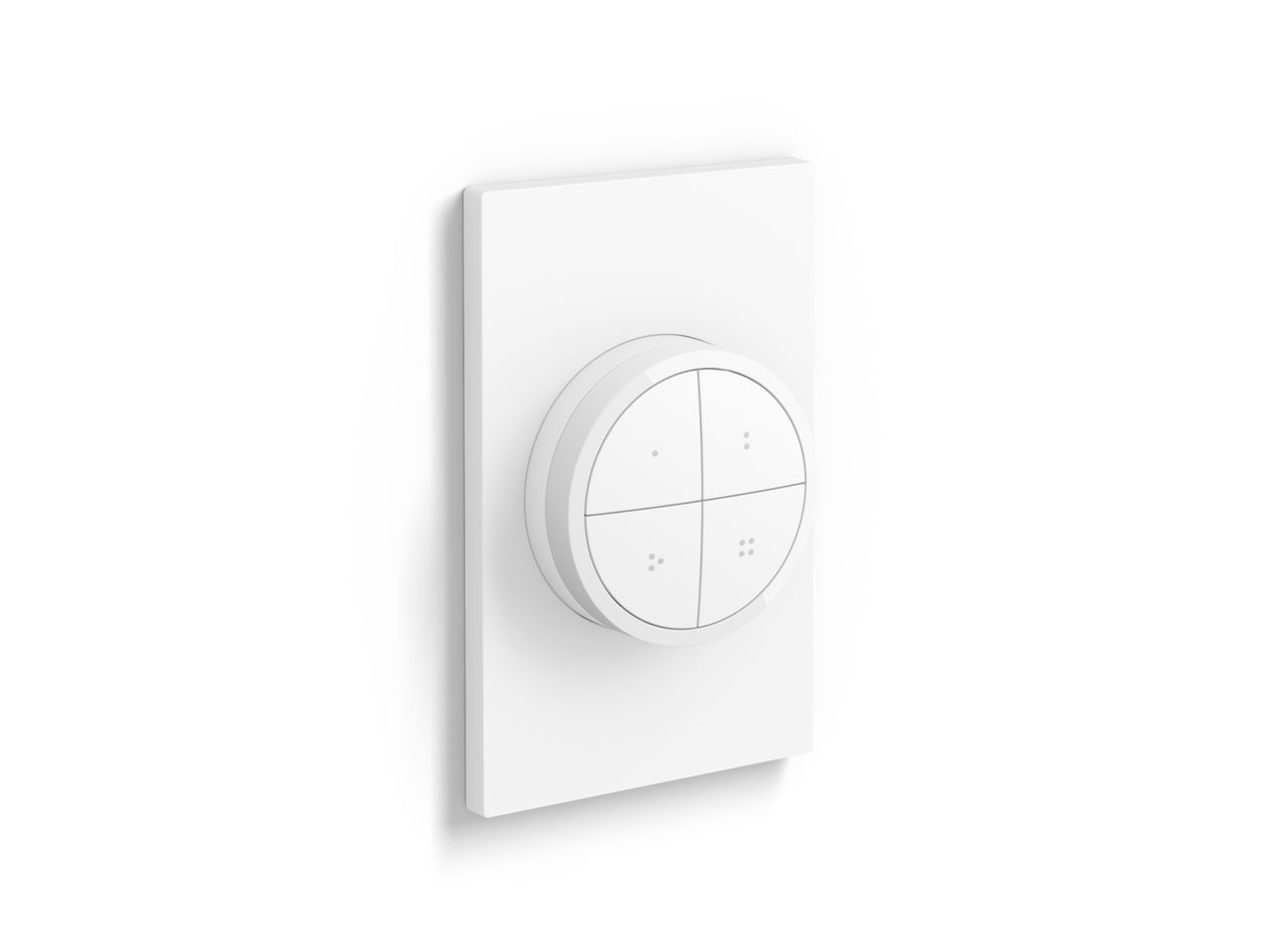
Control up to three Rooms or a Zone with each individual button of the Tap dial switch, available in black or white. Turn the dial to dim and brighten the lights. Mount it to the wall, place it on a magnetic surface, or use it as a remote control.
- No-wire installation
- Smooth dimming
- Battery powered
- Mount anywhere
- Easy access to light scenes
Features
- Product number (EAN/UPC)
- 046677578800
Design and finishing
- Color
- White
- Material
- Synthetic
Environmental
- Operational humidity
- 0%<H<80% (non condensing)
- Operational temperature
- 0°C - 40°C
Extra feature/accessory incl.
- Batteries included
- Yes
- Portable
- Yes
Guarantee
- 2 years
- Yes
Packaging dimensions and weight
- EAN/UPC - product
- 046677578800
- Net weight
- 0.12 kg
- Gross weight
- 0.18 kg
- Height
- 174 mm
- Length
- 86 mm
- Width
- 74 mm
- Material number (12NC)
- 929003500301
Packaging information
- EAN
- 046677578800
Product dimensions and weight
- Net weight
- 0.07 kg
- Net weight
- 0.16 lb
- Overall height
- 20 mm
- Overall length
- 60 mm
- Overall width
- 60 mm
Service
- Warranty
- 2 year(s)
Technical specifications
- Number of configurable buttons
- 4
- Battery type
- CR2032
- IP code
- IP20
- Class of protection
- Class III - Safe Extra Low Voltage
- Mounting options
- Wall, Standing
The bulb
- Software upgradable
- Yes
The switch
- Batteries included
- 1 x CR2032
- Configurable buttons
- 5
- Frequency band
- 2400 - 2483.5 MHz
- Lifetime
- 50.000 clicks / 12.000 turns
- Max. lights per switch
- 50 (with Hue Bridge)
- Minimal battery lifetime
- 2
- Mounting options
- freestanding, wall
- Wall plate depth
- 6 mm
- Wall plate height
- 125 mm
- Wall plate width
- 80 mm
What's supported
- Compatible with Effects
- Yes
- HomeKit compatible
- Yes
- Philips Hue App
- Android 10.0 and above, iOS 16 or later
- WiFi
- Works without Wi-Fi
- Defined support period
- Minimum 60 months from date of purchase from an authorized reseller
- Max. number of accessories
- 12 (with Hue Bridge)
- Compatible operating systems
- iOS, Android
- Communication protocol
- Bluetooth, Zigbee
- Compatibility with 3rd party systems
- Alexa, Google Home, Apple Home, IFTTT, Klikaanklikuit, Matter, Samsung Smartthings, Sonos
Other
- User manual
- User Manual
- Disposal of the product
- At the end of (economic) life dispose the product according to local rules and do not dispose the product with regular household waste. The correct disposal of your product will help prevent potential negative consequences for the environment and human health
- Dismantling
- No dismantle information available
FAQs
How many Hue lights can I control with the Hue tap dial switch?
A Hue tap dial switch can control up to three Rooms, a Zone, or even your entire smart lighting setup. It’s up to you! Each button can be configured independently of each other, for ultimate flexibility. Additionally, the dial can be set to dim up or down yet another group of lights. If you prefer to control only a subset of lights within a Room, we recommend first creating a Zone out of them, to get the most flexibility in terms of creating and selecting scenes for them
How many Hue lights can I control with the Hue smart button?
A Hue smart button can control up to two Rooms, a Zone, or even your entire smart lighting setup. It’s up to you! If you prefer to control only a subset of lights within a Room, we recommend first creating a Zone out of them, to get the most flexibility in terms of creating and selecting scenes for them
What can the Hue dimmer switch, smart button, and tap dial switch do?
The Hue dimmer switch, smart button, and tap dial switch can be configured to different modes of operation, depending on your needs. For example, you can set it to trigger different scenes based on the current time of the day, cycle through your favorite scenes on repeated presses, turn on always the same scene, turn some or all lights in your setup off, or even start/stop automations. You can configure these via the Hue app.
The dimmer switch features two dedicated buttons for dimming up and down, whereas the tap dial switch can do this by rotating the dial. The smart button dims up/down by long pressing the button; once you reach the min or max/ brightness, release and long press again to dim in the opposite direction
How can I add my Hue dimmer switch, smart button, or tap dial switch to my Hue setup?
You can add a Hue dimmer switch, smart button, or tap dial switch to your setup by going to the Hue App > Settings > Devices and tapping on the + button
Do I need to connect any electrical wires to install the Hue dimmer switch, smart button, or tap dial switch?
No. The Hue dimmer switch, smart button, or tap dial switch are battery powered and wireless, so you won’t have to do any rewiring.
The old version of the dimmer switch (it has separate on and off buttons compared to the current version) used a CR2450 battery; the current version of the dimmer switch, the smart button, and the tap dial switch all use a CR2032 battery
Via the Hue app you will find details about the expected lifetime of the current batteries.
What is the difference between the old and the current versions of the Hue dimmer switch?
There are minor mechanical and finishing differences, and the labels and default behavior of the top and bottom buttons are different. The old Hue dimmer switch had a dedicated on button on the top and off button on the bottom, whereas the current version has an on/off button for toggling lights on the top and a Hue button on the bottom. All buttons in either version of the Hue dimmer switch can be configured with the same set of functionalities.
How can I go back to the factory settings of my Hue dimmer switch, smart button, or tap dial switch?
In case you want to restore the default configuration of the Hue dimmer switch, smart button, or tap dial switch, or if trying to remove undesired behaviors, navigate to the edit screen of your device and tap on the Reset button. If issues persist, consider deleting the switch from the Hue app and resetting the device physically by pressing the setup button/pinhole for more than 10 seconds and then re-adding it via the Hue app.
Can I use a Hue dimmer switch, smart button, or tap dial switch to control my outdoor lights?
Yes. You can set up a Hue dimmer switch, smart button, or tap dial switch to control your outdoor Hue lights via the Hue app. However, they are rated for indoor use, so be sure to only use them inside.
Can I customize the settings of a Hue dimmer switch, smart button, or tap dial switch without a Hue bridge?
No. A Hue bridge is required to be able to change the way a Hue dimmer switch, smart button, or tap dial switch controls your lights
What is the difference between the Tap dial switch and the Tap dial switch with mini mount?
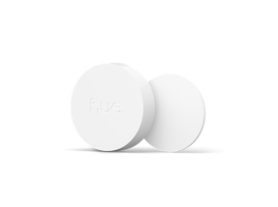
The only difference is the mount that the Tap dial switch comes with. The mini mount is a small, circular mount that sits directly behind the switch. You can't see it when the Tap dial switch is mounted on it, so it's a more discreet mount.
How many Hue lights can I control with the Hue dimmer switch?
A Hue dimmer switch can control up to two Rooms, a Zone, or even your entire smart lighting setup. It’s up to you! Although the buttons are configured by default to control the same groups of lights, you can edit the settings to control different lights per button. If you prefer to control only a subset of lights within a Room, we recommend first creating a Zone out of them, to get the most flexibility in terms of creating and selecting scenes for them
Where can I mount the Hue dimmer switch, smart button, or tap dial switch?
Attach the wall plate or mounts to any flat surface using the included adhesive backing or screws (if available). You can also remove them from their wall plate or mounts and use them anywhere in your home or attach them to any magnetic surface. Make sure that these locations are within range of your setup
What is the smart on/off feature?
Buttons on your Hue dimmer switch, smart button, or tap dial switch have the smart on/off option to toggle lights. If enabled, when pressing the button the lights will be turned off if they were previously on, or will go to the appropriate scene depending on the mode if they were previously off.
Can I use the Hue dimmer switch, smart button, or tap dial switch with automations?
Yes! Their buttons can be configured to either trigger lights or automations. If selecting automations, you will be allowed to start and/or stop any of your automations that can be manually activated via the app. For example, you can configure button 2 of your Hue tap dial switch in the bedroom to start your go to sleep automation, or your Hue smart button by your front door to start the mimic presence automation whenever you go out
What do I need to set up my Hue dimmer switch, smart button, or tap dial switch?
We recommend a Hue bridge to customize how you can control your lights, as well as the Hue app, and at least one Hue light (sold separately). If you don't have a bridge, you can connect these switches to up to 10 lights